Poll for writers Template


Five Writer-Block Choices Paired With a Guided Follow-Up
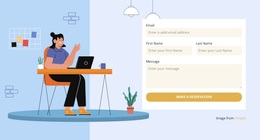
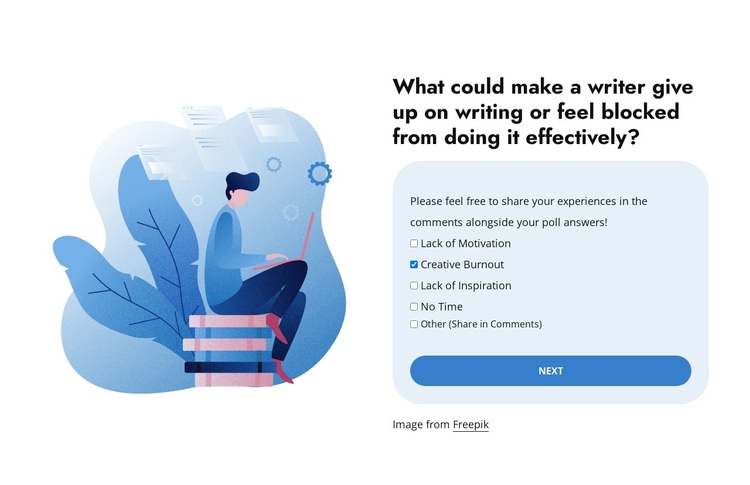
The section combines several characteristics that make it a distinctive ready-made design choice for audience research or feedback about writing. Instead of using a generic form alone, it opens with a specific question, places a writer illustration beside the interaction, and offers five checkbox responses that cover common obstacles. The choice of Creative Burnout, alongside motivation, inspiration, time, and Other, gives the poll a clear content structure that visitors can understand quickly.
Its second-stage follow-up is another practical distinction. After the Vote action, the form can collect a name, email, and comment, turning a quick selection into an opportunity for more detailed responses. The multi-step form carousel keeps the initial poll focused and delays the additional fields until they are relevant. This sequencing gives the block more depth than a static question-and-answer panel while preserving a compact footprint.
Visually, the balanced illustration-and-form arrangement offers a strong alternative to a single-column survey. The white background leaves room around the content, the pale-blue rounded panel frames the controls, and the blue action button reinforces the response path. Choose this block when a page needs an illustrated poll with a defined follow-up journey rather than a plain feedback form or an undifferentiated text section.
Customize with Nicepage
Open this ready-made template in the Template Builder and customize it visually in the Nicepage editor. Replace demo content, edit page sections, and adapt the design to your project without rebuilding the template from scratch.
Edit Template Offline
2. Create a new page or select existing
3. Click Add new block, search for id 6535837 and click enter
Edit Template Online
Create Awesome Websites


Free Nicepage Builder
Keywords
Start With a Ready-Made Template
Choose a Design for a New Page
Use a ready-made template as a starting point instead of creating every page from a blank canvas. When adding a new page in Nicepage, browse available designs, compare different layouts, and choose an option that already fits the general purpose and visual direction of your project.
Browse Different Page Designs
Explore Page Designs using search, thematic categories, Design Sets, and full-page previews. The collection includes layouts for different subjects and page purposes, making it easier to compare alternatives before selecting a design to customize.
Customize the Selected Template
After choosing a design, create the page and continue editing it visually in Nicepage. Replace the demo content, adjust images, typography, colors, sections, and other elements, and adapt the ready-made layout to your own content instead of rebuilding the design from the beginning.
Explore More Design Directions
If the first option does not match your project closely enough, return to the design collection and compare other templates before committing to a layout. This makes the template library useful not only for faster page creation, but also for exploring different visual approaches and finding a suitable starting point for a new project.
This workflow gives you access to a broad collection of ready-made designs that can be selected, compared, and customized according to the needs of each new page or project.