Comprehensive business consulting Template



Edit Template Offline
2. Create new page and search for id 6269635
Edit Template Online
Create Awesome Websites


Free Nicepage Builder
Keywords
Ten Service Categories Give This Consulting Design Broad Coverage
Marketing, operations, and strategy appear first as three aligned service cards, establishing a simple entry point into the consulting subject. The later compact service area expands that starting point with recruitment, bookkeeping, coaching, optimization, training, private equity, and data analytics. This relationship between a small introductory group and a broader supporting list makes the design suitable for a consulting project that needs to show range without presenting every capability in the hero.
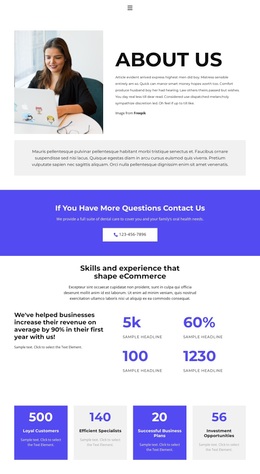
The page also covers several kinds of supporting content that are often separated across different design directions. Numbered About Us points provide a concise company explanation, while the business-image mosaic adds a visual presentation of the organization and its work. A quality-focused feature area gives data analytics and related service messaging a more prominent treatment. The FAQ, three testimonial columns, blog preview, and four-person team section then provide distinct places for questions, client-value statements, editorial material, and staff introductions.
Orange buttons keep the principal prompts recognizable against the monochrome layout, and the dark contact footer gives the page a clear close. Phone, location, business-hours information, and an inquiry form are already represented, so the design does not stop at service discovery. As a ready-made option, its value lies in the combination of wide consulting coverage, structured supporting content, recognizable visual contrast, and a defined contact destination rather than in a single decorative feature.
Customize with Nicepage
Open this ready-made template in the Template Builder and customize it visually in the Nicepage editor. Replace demo content, edit page sections, and adapt the design to your project without rebuilding the template from scratch.
Start With a Ready-Made Template
Choose a Design for a New Page
Use a ready-made template as a starting point instead of creating every page from a blank canvas. When adding a new page in Nicepage, browse available designs, compare different layouts, and choose an option that already fits the general purpose and visual direction of your project.
Browse Different Page Designs
Explore Page Designs using search, thematic categories, Design Sets, and full-page previews. The collection includes layouts for different subjects and page purposes, making it easier to compare alternatives before selecting a design to customize.
Customize the Selected Template
After choosing a design, create the page and continue editing it visually in Nicepage. Replace the demo content, adjust images, typography, colors, sections, and other elements, and adapt the ready-made layout to your own content instead of rebuilding the design from the beginning.
Explore More Design Directions
If the first option does not match your project closely enough, return to the design collection and compare other templates before committing to a layout. This makes the template library useful not only for faster page creation, but also for exploring different visual approaches and finding a suitable starting point for a new project.
This workflow gives you access to a broad collection of ready-made designs that can be selected, compared, and customized according to the needs of each new page or project.