They look like a family run business Template


Three Colored Reviews Bring More Visual Weight Than a Plain Testimonial List
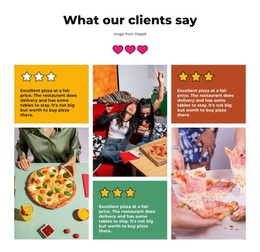
The section combines three elements that make its design choice specific: a centered “What our clients say” heading, three repeated quote panels with star graphics, and three food or dining photographs woven through the grid. Instead of placing every review in identical white cards, the design uses yellow, terracotta, and green backgrounds to give each testimonial a distinct presence. The photographs add a second visual register, connecting customer feedback with the dining subject suggested by the sample content.
That combination makes the block a useful option when a page needs customer proof but should avoid a text-heavy review list. The alternating three-column arrangement keeps the eye moving across the section, while the narrow gutters preserve a compact, aligned composition. It can suit a restaurant or food-service context where pizza, delivery, and dine-in references are relevant, but the design value is broader: repeated testimonials gain visual separation without losing their shared structure. The star graphics reinforce the review category, and the centered introduction gives the group a clear beginning. Choose this layout when testimonials need to occupy a visible mid-page position with both editorial rhythm and supporting imagery.
Customize with Nicepage
Open this ready-made template in the Template Builder and customize it visually in the Nicepage editor. Replace demo content, edit page sections, and adapt the design to your project without rebuilding the template from scratch.
Edit Template Offline
2. Create a new page or select existing
3. Click Add new block, search for id 6196094 and click enter
Edit Template Online
Create Awesome Websites


Free Nicepage Builder
Keywords
Start With a Ready-Made Template
Choose a Design for a New Page
Use a ready-made template as a starting point instead of creating every page from a blank canvas. When adding a new page in Nicepage, browse available designs, compare different layouts, and choose an option that already fits the general purpose and visual direction of your project.
Browse Different Page Designs
Explore Page Designs using search, thematic categories, Design Sets, and full-page previews. The collection includes layouts for different subjects and page purposes, making it easier to compare alternatives before selecting a design to customize.
Customize the Selected Template
After choosing a design, create the page and continue editing it visually in Nicepage. Replace the demo content, adjust images, typography, colors, sections, and other elements, and adapt the ready-made layout to your own content instead of rebuilding the design from the beginning.
Explore More Design Directions
If the first option does not match your project closely enough, return to the design collection and compare other templates before committing to a layout. This makes the template library useful not only for faster page creation, but also for exploring different visual approaches and finding a suitable starting point for a new project.
This workflow gives you access to a broad collection of ready-made designs that can be selected, compared, and customized according to the needs of each new page or project.