Power of digital business Template


Edit Template Offline
2. Create new page and search for id 39941
Edit Template Online
Create Awesome Websites


Free Nicepage Builder
Keywords
Web Design Services Meet an Editorial Agency Story
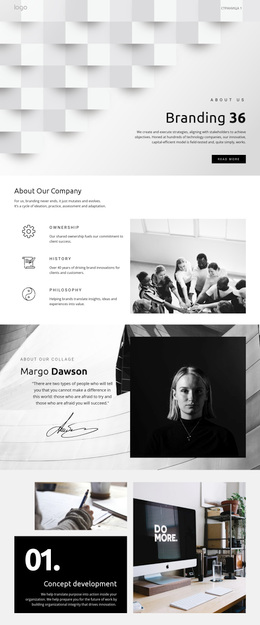
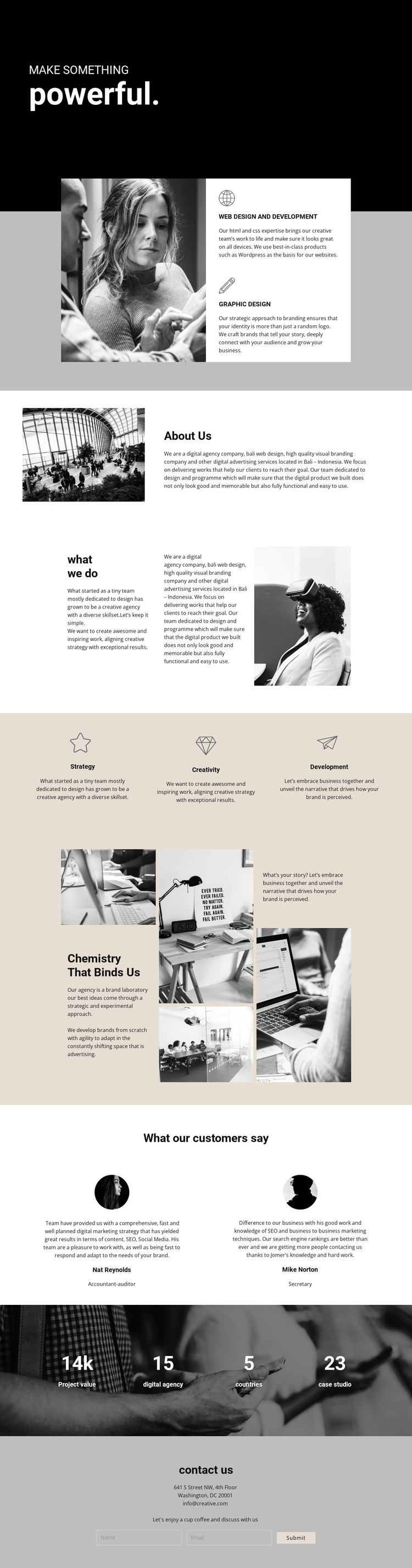
The combination of a forceful black opening, monochrome photography, and large typography makes this design a distinctive choice for a creative agency profile. It communicates an agency point of view before presenting its specific services, so the layout feels centered on ideas and working relationships rather than a plain list of capabilities. The adjacent service cards identify web design and development and graphic design as the two clearest offer areas.
The page also covers several layers of agency identity. About Us introduces the organization, while what we do distributes the explanation across text and imagery. The three approach pillars—Strategy, Creativity, and Development—make the working method easier to understand. Later, the Chemistry That Binds Us collage shifts from direct explanation to a more expressive brand narrative, using asymmetrical images and central text as a visual statement.
Testimonials and a four-part metric display add proof-oriented structure, although the supplied names, quotes, and values should be replaced with verified project material. The closing contact area includes address and email details above a form with name and email inputs. These relationships make the template worth considering when a project needs to combine service clarity, agency personality, visual storytelling, and a direct inquiry path in one strongly characterized page.
Customize with Nicepage
Open this ready-made template in the Template Builder and customize it visually in the Nicepage editor. Replace demo content, edit page sections, and adapt the design to your project without rebuilding the template from scratch.
Start With a Ready-Made Template
Choose a Design for a New Page
Use a ready-made template as a starting point instead of creating every page from a blank canvas. When adding a new page in Nicepage, browse available designs, compare different layouts, and choose an option that already fits the general purpose and visual direction of your project.
Browse Different Page Designs
Explore Page Designs using search, thematic categories, Design Sets, and full-page previews. The collection includes layouts for different subjects and page purposes, making it easier to compare alternatives before selecting a design to customize.
Customize the Selected Template
After choosing a design, create the page and continue editing it visually in Nicepage. Replace the demo content, adjust images, typography, colors, sections, and other elements, and adapt the ready-made layout to your own content instead of rebuilding the design from the beginning.
Explore More Design Directions
If the first option does not match your project closely enough, return to the design collection and compare other templates before committing to a layout. This makes the template library useful not only for faster page creation, but also for exploring different visual approaches and finding a suitable starting point for a new project.
This workflow gives you access to a broad collection of ready-made designs that can be selected, compared, and customized according to the needs of each new page or project.