Futuristic standout business Template


Edit Template Offline
2. Create new page and search for id 61991
Edit Template Online
Create Awesome Websites


Free Nicepage Builder
Keywords
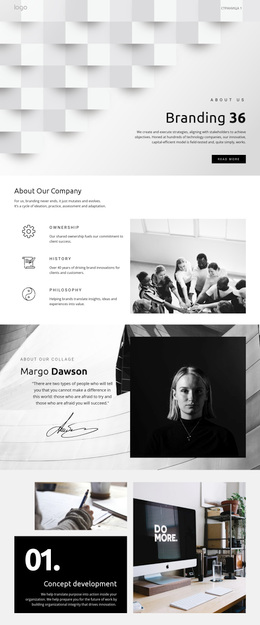
A Branding Profile That Connects Principles With Visual Proof
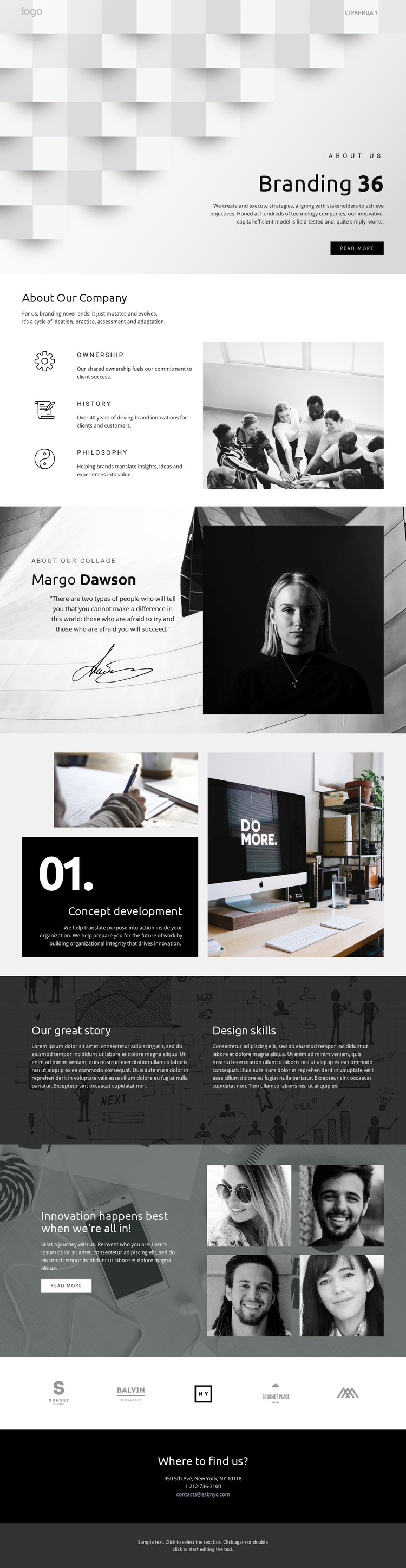
The strongest reason to choose this design is the way it combines company explanation with image-led storytelling. The opening Branding section establishes a visual direction immediately through a geometric background and concise introductory copy. Rather than relying on one generic service panel, the page follows with Ownership, History, and Philosophy, giving the company profile several defined ideas to communicate beside a large photograph.
The design also covers both capability and personality. Concept development is named and presented as a numbered feature with supporting photography, while the profile-style quote adds a portrait and signature image that make the narrative feel more editorial. Our great story then places Design skills beside another text-led theme over a dark image-backed surface. These relationships make the page suitable for organizations that need to explain how they think as well as what they offer.
Visual coverage continues through the four-image montage and the row of five brand marks. The first creates a stronger showcase moment beside an invitation, while the marks provide a compact context section before the closing contact details. The combination is useful when a branding project needs a ready-made option that balances principles, named capability, visual evidence, and contact information instead of focusing only on a service list or a portfolio grid.
Customize with Nicepage
Open this ready-made template in the Template Builder and customize it visually in the Nicepage editor. Replace demo content, edit page sections, and adapt the design to your project without rebuilding the template from scratch.
Start With a Ready-Made Template
Choose a Design for a New Page
Use a ready-made template as a starting point instead of creating every page from a blank canvas. When adding a new page in Nicepage, browse available designs, compare different layouts, and choose an option that already fits the general purpose and visual direction of your project.
Browse Different Page Designs
Explore Page Designs using search, thematic categories, Design Sets, and full-page previews. The collection includes layouts for different subjects and page purposes, making it easier to compare alternatives before selecting a design to customize.
Customize the Selected Template
After choosing a design, create the page and continue editing it visually in Nicepage. Replace the demo content, adjust images, typography, colors, sections, and other elements, and adapt the ready-made layout to your own content instead of rebuilding the design from the beginning.
Explore More Design Directions
If the first option does not match your project closely enough, return to the design collection and compare other templates before committing to a layout. This makes the template library useful not only for faster page creation, but also for exploring different visual approaches and finding a suitable starting point for a new project.
This workflow gives you access to a broad collection of ready-made designs that can be selected, compared, and customized according to the needs of each new page or project.