Hot and Delicious Template



Edit Template Offline
2. Create new page and search for id 3814297
Edit Template Online
Create Awesome Websites


Free Nicepage Builder
Keywords
Circular Food Cards Connect Offers with Restaurant Experiences
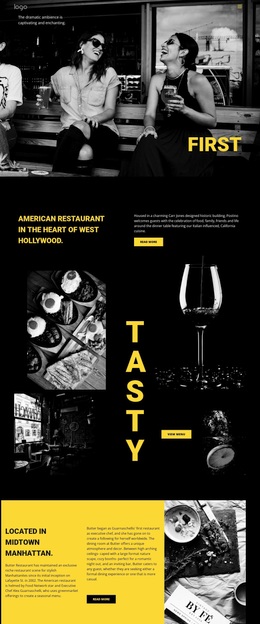
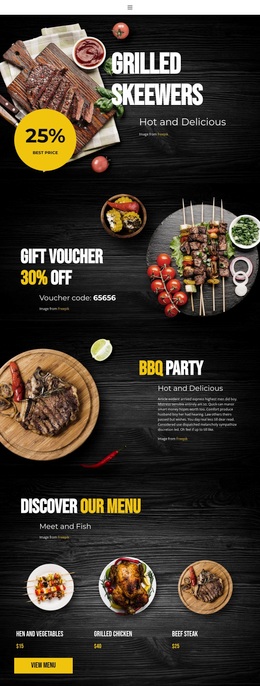
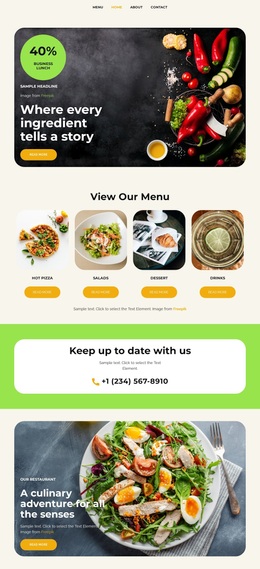
Large grilled food imagery, circular promotional badges, and vivid red and yellow accents make the design immediately recognizable as a barbecue restaurant presentation. Its strongest distinction is the way it combines several kinds of content without losing that theme: grilled skewers establish appetite, gift voucher panels introduce an offer, and BBQ party messaging expands the experience from a meal to a social occasion.
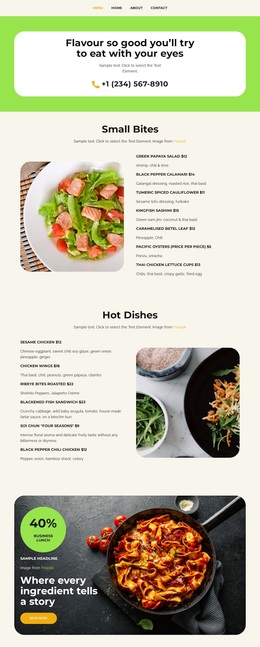
The centered menu section gives the page practical coverage through three named food cards and a View Menu action. That compact group works alongside the broader image-led promotions rather than replacing them, so visitors can move from atmosphere and value to specific dishes. The BBQ weekend block adds another event-focused reason to engage, with music, food, beer, and dancing presented as part of the restaurant story. Finally, the Address and Hours section makes the design useful for local diners who need visit information after viewing the promotions. This combination makes Hot and Delicious a strong option for projects that want food photography and energetic event messaging to carry as much of the communication as the menu itself.
Customize with Nicepage
Open this ready-made template in the Template Builder and customize it visually in the Nicepage editor. Replace demo content, edit page sections, and adapt the design to your project without rebuilding the template from scratch.
Start With a Ready-Made Template
Choose a Design for a New Page
Use a ready-made template as a starting point instead of creating every page from a blank canvas. When adding a new page in Nicepage, browse available designs, compare different layouts, and choose an option that already fits the general purpose and visual direction of your project.
Browse Different Page Designs
Explore Page Designs using search, thematic categories, Design Sets, and full-page previews. The collection includes layouts for different subjects and page purposes, making it easier to compare alternatives before selecting a design to customize.
Customize the Selected Template
After choosing a design, create the page and continue editing it visually in Nicepage. Replace the demo content, adjust images, typography, colors, sections, and other elements, and adapt the ready-made layout to your own content instead of rebuilding the design from the beginning.
Explore More Design Directions
If the first option does not match your project closely enough, return to the design collection and compare other templates before committing to a layout. This makes the template library useful not only for faster page creation, but also for exploring different visual approaches and finding a suitable starting point for a new project.
This workflow gives you access to a broad collection of ready-made designs that can be selected, compared, and customized according to the needs of each new page or project.