Simple living manifesto Template


Edit Template Offline
2. Create new page and search for id 31575
Edit Template Online
Create Awesome Websites


Free Nicepage Builder
Keywords
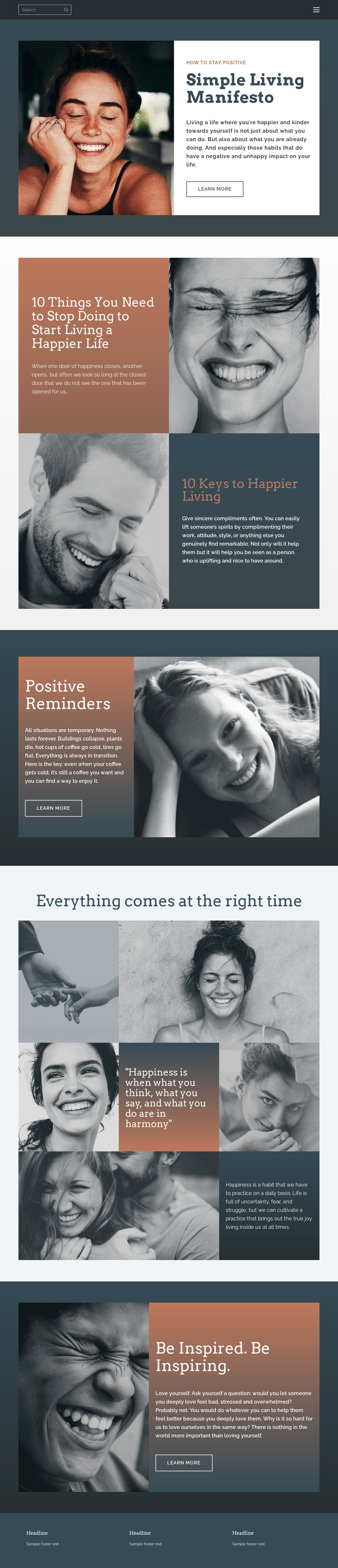
Portrait storytelling gives this design a clear positive-living direction
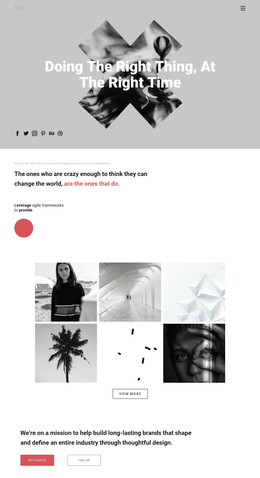
Grayscale portrait photography carries much of the page’s emotional message, making the design a distinctive option for projects that want reflection and human presence rather than dense corporate presentation. The opening Simple Living Manifesto combines one expressive portrait with a white text panel, so the page begins with a direct relationship between visual mood and encouraging guidance. That balance gives the design an identifiable starting point before the longer content begins.
The page also covers several related forms of positive-living content without losing its central direction. The paired panels address stopping behaviors associated with unhappier living and identifying keys to happiness. Positive Reminders adds a shorter, focused message, while the mosaic gallery connects portraits, lifestyle imagery, quotations, and a daily-happiness reflection. The final Be Inspired. Be Inspiring. section brings the subject back to self-love, creating a consistent emotional arc from practical encouragement to personal compassion.
Warm terracotta copy areas, dark blue-gray backgrounds, cream surfaces, and restrained grayscale imagery distinguish this option from templates built around bright promotional color or dense service grids. Editorial serif headings add a contemplative quality, while compact sans-serif text keeps the guidance approachable. These relationships make the design worth choosing when visual storytelling, short reflective messages, and a calm sequence of encouragement should carry more weight than technical or product-focused content.
Customize with Nicepage
Open this ready-made template in the Template Builder and customize it visually in the Nicepage editor. Replace demo content, edit page sections, and adapt the design to your project without rebuilding the template from scratch.
Start With a Ready-Made Template
Choose a Design for a New Page
Use a ready-made template as a starting point instead of creating every page from a blank canvas. When adding a new page in Nicepage, browse available designs, compare different layouts, and choose an option that already fits the general purpose and visual direction of your project.
Browse Different Page Designs
Explore Page Designs using search, thematic categories, Design Sets, and full-page previews. The collection includes layouts for different subjects and page purposes, making it easier to compare alternatives before selecting a design to customize.
Customize the Selected Template
After choosing a design, create the page and continue editing it visually in Nicepage. Replace the demo content, adjust images, typography, colors, sections, and other elements, and adapt the ready-made layout to your own content instead of rebuilding the design from the beginning.
Explore More Design Directions
If the first option does not match your project closely enough, return to the design collection and compare other templates before committing to a layout. This makes the template library useful not only for faster page creation, but also for exploring different visual approaches and finding a suitable starting point for a new project.
This workflow gives you access to a broad collection of ready-made designs that can be selected, compared, and customized according to the needs of each new page or project.