Best sellers for sports Template


Edit Template Offline
2. Create new page and search for id 27240
Edit Template Online
Create Awesome Websites


Free Nicepage Builder
Keywords
Circular Product Features Give the Design a Clear Sportswear Direction
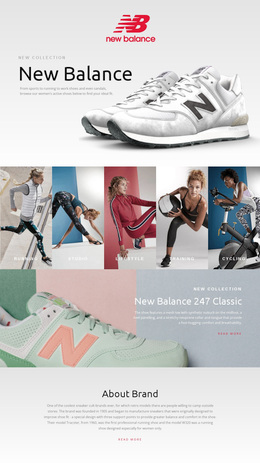
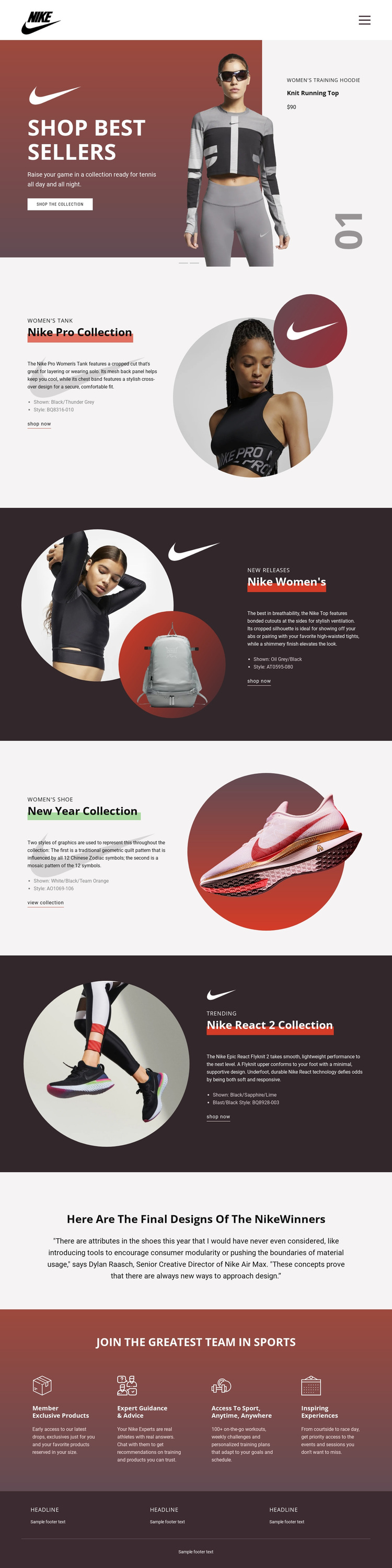
The combination of a full-width best-seller slider and four editorial collection features makes this design a strong option for product-led sportswear presentation. The opening carousel places shopping at the front of the experience through large product imagery, promotional copy, a price callout, and a Shop the collection action. That immediate product focus is then developed through separate stories instead of being limited to a generic catalog-style grid.
The middle of the page is distinctive because its collections are presented through alternating visual treatments. Nike Pro Collection uses a light background, women's tank information, and circular athlete imagery. Nike Women's places new-release content beside circular product imagery on a dark background. New Year Collection gives a women's shoe and seasonal message a large circular image, while Nike React 2 Collection combines dark editorial styling with trending footwear and technology copy. This repeated split pattern creates consistency without making every product feature feel identical.
The design also covers the surrounding reasons a sportswear project may need. A centered quotation introduces an editorial voice, and the four membership categories—Member Exclusive Products, Expert Guidance & Advice, Access to Sport, Anytime, Anywhere, and Inspiring Experiences—add community and benefit content after the collections. The result is an option for projects that need product discovery, visual storytelling, and membership messaging in the same page rather than a design focused only on one product card or a single promotional banner.
Customize with Nicepage
Open this ready-made template in the Template Builder and customize it visually in the Nicepage editor. Replace demo content, edit page sections, and adapt the design to your project without rebuilding the template from scratch.
Start With a Ready-Made Template
Choose a Design for a New Page
Use a ready-made template as a starting point instead of creating every page from a blank canvas. When adding a new page in Nicepage, browse available designs, compare different layouts, and choose an option that already fits the general purpose and visual direction of your project.
Browse Different Page Designs
Explore Page Designs using search, thematic categories, Design Sets, and full-page previews. The collection includes layouts for different subjects and page purposes, making it easier to compare alternatives before selecting a design to customize.
Customize the Selected Template
After choosing a design, create the page and continue editing it visually in Nicepage. Replace the demo content, adjust images, typography, colors, sections, and other elements, and adapt the ready-made layout to your own content instead of rebuilding the design from the beginning.
Explore More Design Directions
If the first option does not match your project closely enough, return to the design collection and compare other templates before committing to a layout. This makes the template library useful not only for faster page creation, but also for exploring different visual approaches and finding a suitable starting point for a new project.
This workflow gives you access to a broad collection of ready-made designs that can be selected, compared, and customized according to the needs of each new page or project.