Pilates and yoga center Template



Edit Template Offline
2. Create new page and search for id 214514
Edit Template Online
Create Awesome Websites


Free Nicepage Builder
Keywords
Three Class Paths Meet Educational Wellness Storytelling
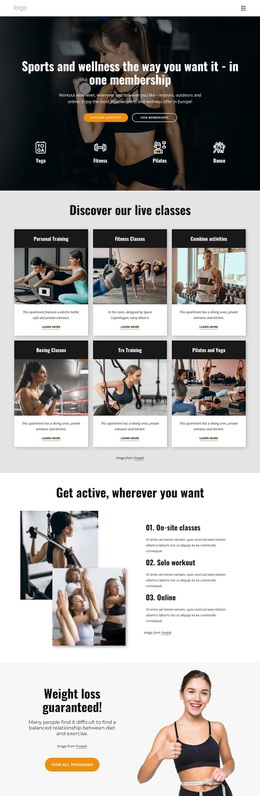
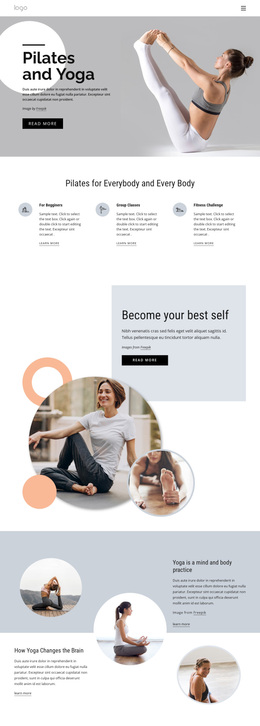
The design stands out through the way it combines practical class orientation with broader mind-and-body content. The hero immediately identifies Pilates and yoga, but the following feature row gives the page a useful distinction: For Beginners, Group Classes, and Fitness Challenge are presented as three separate paths with icons, descriptions, and actions. This makes the template suitable for a studio that needs to speak to different participation interests without dividing the opening message into unrelated offers.
Its middle sections add a second layer of content. “Become your best self” uses a pale blue card and overlapping circular lifestyle images for motivational framing. The yoga block then places educational text about the brain and the mind-and-body practice beside circular photography, while the Pilates sections address transformation and benefits. The page therefore supports both service discovery and explanatory storytelling. It is not limited to a simple class list, yet it also avoids relying on dense, uninterrupted text.
The visual language reinforces that content choice. Soft gray, white, pale blue, peach, and black create a quiet wellness palette; large sans-serif headings establish clear emphasis; and generous spacing keeps the repeated class items separate from the more editorial sections. A Learn with Us! invitation leads toward contact categories and an inquiry form, giving the design a practical closing point. Choose this option when a Pilates or yoga project needs calm imagery, several content angles, and a visible route to further questions.
Customize with Nicepage
Open this ready-made template in the Template Builder and customize it visually in the Nicepage editor. Replace demo content, edit page sections, and adapt the design to your project without rebuilding the template from scratch.
Start With a Ready-Made Template
Choose a Design for a New Page
Use a ready-made template as a starting point instead of creating every page from a blank canvas. When adding a new page in Nicepage, browse available designs, compare different layouts, and choose an option that already fits the general purpose and visual direction of your project.
Browse Different Page Designs
Explore Page Designs using search, thematic categories, Design Sets, and full-page previews. The collection includes layouts for different subjects and page purposes, making it easier to compare alternatives before selecting a design to customize.
Customize the Selected Template
After choosing a design, create the page and continue editing it visually in Nicepage. Replace the demo content, adjust images, typography, colors, sections, and other elements, and adapt the ready-made layout to your own content instead of rebuilding the design from the beginning.
Explore More Design Directions
If the first option does not match your project closely enough, return to the design collection and compare other templates before committing to a layout. This makes the template library useful not only for faster page creation, but also for exploring different visual approaches and finding a suitable starting point for a new project.
This workflow gives you access to a broad collection of ready-made designs that can be selected, compared, and customized according to the needs of each new page or project.