Design in architecture Template


Edit Template Offline
2. Create new page and search for id 24113
Edit Template Online
Create Awesome Websites


Free Nicepage Builder
Keywords
World Rankings and Project Stories Give This Design a Clear Editorial Point of View
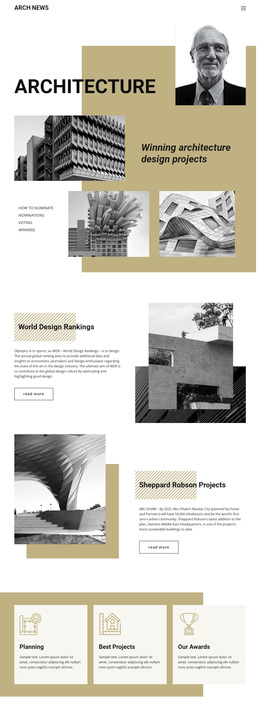
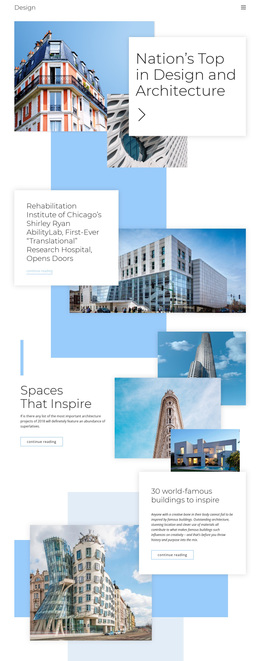
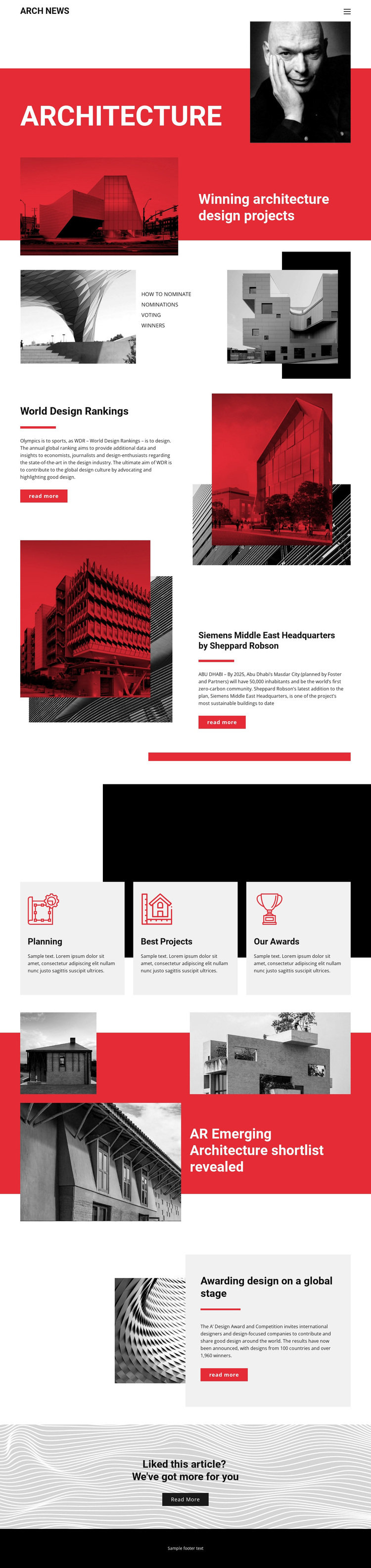
The page is worth considering when architecture coverage needs to be presented through visual stories rather than a dense text archive. Its strongest distinction is the combination of a bold Architecture hero, multiple architectural image treatments, and editorial subjects that move from rankings to named projects and awards. World Design Rankings gives the page a recognizable news feature, while the Siemens Middle East Headquarters story adds a concrete project reference, Sheppard Robson attribution, and Abu Dhabi context.
The design also covers several discovery levels. The three light-gray cards for Planning, Best Projects, and Our Awards make broad topics easy to identify, while the AR Emerging Architecture shortlist supplies a more specific feature with a collage-led presentation. A’ Design Award and Competition coverage adds another award-oriented story before the closing prompt invites readers to open more content. This range helps the layout communicate an active editorial program without relying on unsupported claims about a real publication.
The red, black, and white palette reinforces the subject through a strong magazine-like contrast, and the asymmetrical image placement keeps the page visually connected to architecture photography. As a ready-made design option, it suits projects that need a confident architecture news direction, clear story entry points, and enough variation to distinguish rankings, project reporting, topic cards, and related articles.
Customize with Nicepage
Open this ready-made template in the Template Builder and customize it visually in the Nicepage editor. Replace demo content, edit page sections, and adapt the design to your project without rebuilding the template from scratch.
Start With a Ready-Made Template
Choose a Design for a New Page
Use a ready-made template as a starting point instead of creating every page from a blank canvas. When adding a new page in Nicepage, browse available designs, compare different layouts, and choose an option that already fits the general purpose and visual direction of your project.
Browse Different Page Designs
Explore Page Designs using search, thematic categories, Design Sets, and full-page previews. The collection includes layouts for different subjects and page purposes, making it easier to compare alternatives before selecting a design to customize.
Customize the Selected Template
After choosing a design, create the page and continue editing it visually in Nicepage. Replace the demo content, adjust images, typography, colors, sections, and other elements, and adapt the ready-made layout to your own content instead of rebuilding the design from the beginning.
Explore More Design Directions
If the first option does not match your project closely enough, return to the design collection and compare other templates before committing to a layout. This makes the template library useful not only for faster page creation, but also for exploring different visual approaches and finding a suitable starting point for a new project.
This workflow gives you access to a broad collection of ready-made designs that can be selected, compared, and customized according to the needs of each new page or project.