Modern Japanese Restaurant One Page Template


Edit Template Offline
2. Create new page and search for id 6666524
Edit Template Online
Create Awesome Websites


Free Nicepage Builder
Keywords
A Continuous Route Through Dining, Menu, and Locations
The page’s sections create several meaningful destinations within one continuous restaurant document. The opening hero introduces Yuzu Nori and its Japanese dining proposition, while the About Us area provides a visual and descriptive explanation of the atmosphere through interior, chef, and exterior imagery. That first transition lets visitors move from recognition to context without leaving the page.
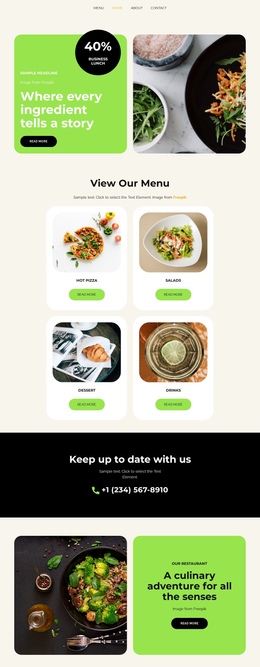
The signature menu forms the central content destination. Its three repeated cards group Bluefin Tuna Nigiri, Hokkaido Scallop, and Wagyu Robata into a compact offering area, with each item supported by a photograph, description, and price. The reservation block then acts as another distinct stop in the sequence rather than simply becoming part of the menu. Visitors can continue to the location panel, where Tokyo · Hibiya, Kyoto · Station District, and Osaka · Umeda are listed as separate location information.
A compact footer closes the journey with contact details and opening hours. This order supports a one-page information architecture because the visitor can understand the brand, explore the dining concept, review signature dishes, reach the reservation message, and check locations within the same document. The page’s multiple content destinations are more important here than treating the whole layout as one uninterrupted sales pitch.
Customize with Nicepage
Open this ready-made template in the One Page Template Builder and customize it visually in the Nicepage editor. Replace demo content, edit page sections, and adapt the design to your project without rebuilding the template from scratch.
Build a Navigable One-Page Website
Connect the Menu to Page Sections
Organize the website as a sequence of sections on a single page and use the Menu For One-Page Site to connect menu items with individual page Blocks. Visitors can jump directly to sections such as About, Services, Testimonials, or Contact without opening separate pages.
Keep the Website on One URL
A one-page template can combine several parts of a small website within one continuous page. Arrange the Header, introduction, services, portfolio, company information, reviews, contact details, and other relevant sections in the order that fits the project while keeping them accessible through the same page navigation.
Make Long Pages Easier to Navigate
For longer one-page websites, keep navigation labels short and connected to meaningful sections so visitors can move through the page without relying only on scrolling. You can also use the Back To Top element to provide a quick way back to the beginning after longer sections.
This workflow makes the template suitable for compact websites that need several distinct content sections while keeping the complete visitor experience on one URL.