Losing weight One Page Template



Edit Template Offline
2. Create new page and search for id 1804843
Edit Template Online
Create Awesome Websites


Free Nicepage Builder
Keywords
Four Health Topics Lead Into a Continuous Wellness Journey
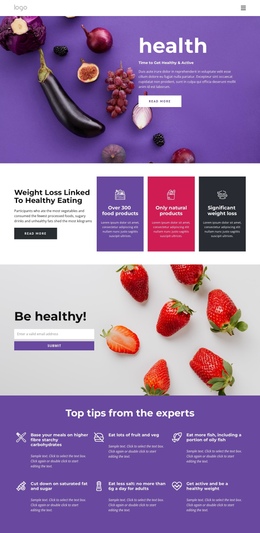
The page has a clear long-form sequence that can be understood as several meaningful destinations within one document. The hero introduces the weight loss subject, and the four peer cards immediately divide the broader topic into Healthy Weight, Eating Healthy, Psychology, and Activity. From there, the program section expands the subject with a checklist and action link instead of forcing visitors to leave the page for basic context.
The next destinations follow a practical content order. “Eating regular meals” focuses on meal guidance, then “Weight loss nutrition plan” adds an introductory block and two supporting cards. The exercise section changes the subject from food to movement and presents walking, cycling, weight training, interval training, swimming, yoga, and Pilates as a recognizable list. The Weight Loss Challenge panel supplies a distinct participation-oriented section, while the three-step meal guidance area returns to a compact instructional format.
The closing contact region provides the final destination within the same continuous experience. Contact details, social links, the newsletter invitation, and the signup form can be treated as separate content targets even though they remain part of one page, followed by the footer. This sequence supports one-page navigation because visitors can move among multiple informational areas—rather than following only one conversion funnel—while preserving the page’s visual and topical continuity.
Customize with Nicepage
Open this ready-made template in the One Page Template Builder and customize it visually in the Nicepage editor. Replace demo content, edit page sections, and adapt the design to your project without rebuilding the template from scratch.
Build a Navigable One-Page Website
Connect the Menu to Page Sections
Organize the website as a sequence of sections on a single page and use the Menu For One-Page Site to connect menu items with individual page Blocks. Visitors can jump directly to sections such as About, Services, Testimonials, or Contact without opening separate pages.
Keep the Website on One URL
A one-page template can combine several parts of a small website within one continuous page. Arrange the Header, introduction, services, portfolio, company information, reviews, contact details, and other relevant sections in the order that fits the project while keeping them accessible through the same page navigation.
Make Long Pages Easier to Navigate
For longer one-page websites, keep navigation labels short and connected to meaningful sections so visitors can move through the page without relying only on scrolling. You can also use the Back To Top element to provide a quick way back to the beginning after longer sections.
This workflow makes the template suitable for compact websites that need several distinct content sections while keeping the complete visitor experience on one URL.