Luxury Private Jet One Page Template


Edit Template Offline
2. Create new page and search for id 6649042
Edit Template Online
Create Awesome Websites


Free Nicepage Builder
Keywords
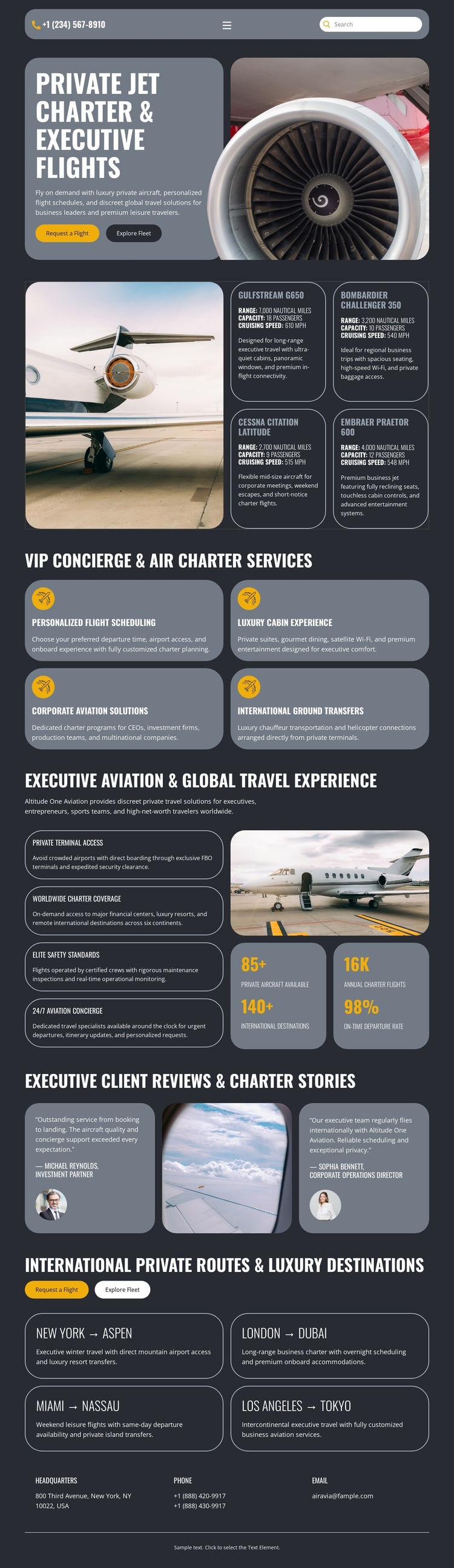
Six Content Destinations Form a Continuous Aviation Journey
The page’s section order supports a single-document journey through several distinct information destinations. The opening hero establishes private jet charter and executive flights, while the following service block gives visitors a separate place to examine scheduling, cabin experience, corporate aviation, and ground transfers. These are meaningful content stops because each group answers a different question about the travel offering.
The experience section continues the journey with private terminal access, worldwide route coverage, elite guest standards, and 24/7 aviation concierge messaging. Four metric panels sit within that area as a visual pause before the two client review cards. The review section changes the content role from service explanation to client-story evidence, then the route section returns to practical travel choice through four city pairs: New York–Aspen, London–Dubai, Miami–Nassau, and Los Angeles–Tokyo.
Request a flight and Explore fleet buttons connect the journey to action without erasing the other destinations. At the end, the headquarters, phone, and email labels create a final contact stop rather than merely repeating the hero. This arrangement can be explored as one continuous page, with each major block serving as a recognizable destination inside the same private aviation narrative.
Customize with Nicepage
Open this ready-made template in the One Page Template Builder and customize it visually in the Nicepage editor. Replace demo content, edit page sections, and adapt the design to your project without rebuilding the template from scratch.
Build a Navigable One-Page Website
Connect the Menu to Page Sections
Organize the website as a sequence of sections on a single page and use the Menu For One-Page Site to connect menu items with individual page Blocks. Visitors can jump directly to sections such as About, Services, Testimonials, or Contact without opening separate pages.
Keep the Website on One URL
A one-page template can combine several parts of a small website within one continuous page. Arrange the Header, introduction, services, portfolio, company information, reviews, contact details, and other relevant sections in the order that fits the project while keeping them accessible through the same page navigation.
Make Long Pages Easier to Navigate
For longer one-page websites, keep navigation labels short and connected to meaningful sections so visitors can move through the page without relying only on scrolling. You can also use the Back To Top element to provide a quick way back to the beginning after longer sections.
This workflow makes the template suitable for compact websites that need several distinct content sections while keeping the complete visitor experience on one URL.