Find Parking Near You One Page Template


Edit Template Offline
2. Create new page and search for id 6547908
Edit Template Online
Create Awesome Websites


Free Nicepage Builder
Keywords
From Location Search to Support, Each Section Has a Destination
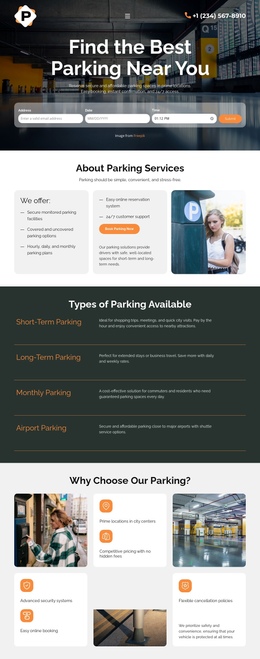
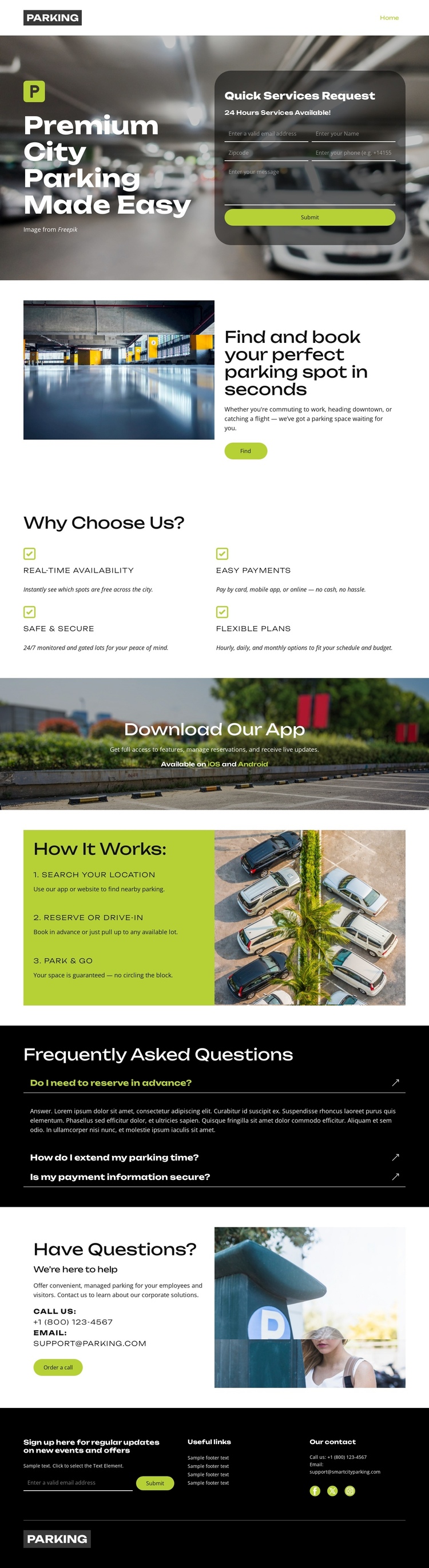
The page’s sections can be understood as distinct information destinations within one continuous parking journey. The opening hero introduces the service and places the Quick Services Request form at the first decision point. The next split section expands the search-and-book explanation, giving visitors a dedicated place to understand the central task before they move into supporting information.
The four benefit items form another meaningful destination because they answer why a visitor might use the service. Real-time availability, easy payments, security, and flexible plans are grouped in a compact two-column block rather than scattered across the page. The app promotion then creates a separate destination for mobile access, while the “How It Works” section gives the process its own place: search your location, reserve or drive in, and park and go. These sections support different questions without requiring separate pages.
The FAQ and support areas provide later destinations for visitors who need clarification or assistance. The FAQ rows focus on reservations and payment security, and the contact block follows with phone, email, and a Get in touch button. A navigation menu and footer links can connect these major areas while keeping the experience on the same page. The result is a one-page information architecture with multiple content stops—service explanation, benefits, app access, process, questions, and support—rather than a layout centered only on one response action.
Customize with Nicepage
Open this ready-made template in the One Page Template Builder and customize it visually in the Nicepage editor. Replace demo content, edit page sections, and adapt the design to your project without rebuilding the template from scratch.
Build a Navigable One-Page Website
Connect the Menu to Page Sections
Organize the website as a sequence of sections on a single page and use the Menu For One-Page Site to connect menu items with individual page Blocks. Visitors can jump directly to sections such as About, Services, Testimonials, or Contact without opening separate pages.
Keep the Website on One URL
A one-page template can combine several parts of a small website within one continuous page. Arrange the Header, introduction, services, portfolio, company information, reviews, contact details, and other relevant sections in the order that fits the project while keeping them accessible through the same page navigation.
Make Long Pages Easier to Navigate
For longer one-page websites, keep navigation labels short and connected to meaningful sections so visitors can move through the page without relying only on scrolling. You can also use the Back To Top element to provide a quick way back to the beginning after longer sections.
This workflow makes the template suitable for compact websites that need several distinct content sections while keeping the complete visitor experience on one URL.