Uber's Aerial Taxi Play One Page Template


Edit Template Offline
2. Create new page and search for id 12799
Edit Template Online
Create Awesome Websites


Free Nicepage Builder
Keywords
Eight Sections Create a Continuous Future-Mobility Journey
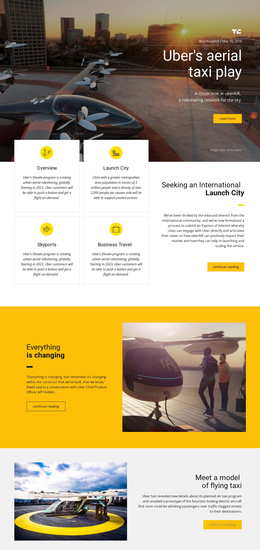
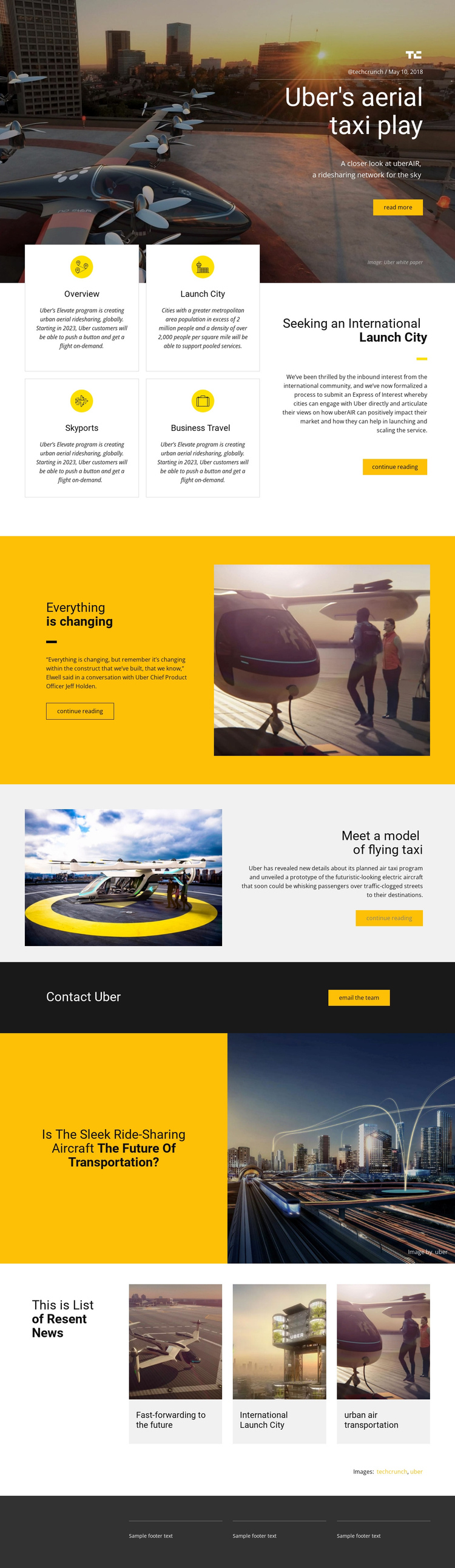
The page offers several meaningful destinations within one continuous document. The opening text-on-image section introduces Uber's aerial taxi story, then the Features section changes the visitor's focus to Overview, Launch City, Skyports, and Business Travel. Those four cards act as a compact information cluster, while the larger launch-city panel gives the program's city-facing message a more prominent place in the same journey.
The next two split sections provide separate editorial stops. The yellow block presents a perspective on transportation change beside an aircraft image, and the light gray block explains a flying-taxi prototype through another image-and-text relationship. The dark Contact Uber strip then gives the page a practical destination for direct communication. Farther down, the question about whether the sleek ridesharing aircraft represents the future opens a broader reflection before the related-news row introduces three additional topics.
This sequence works as a one-page information architecture because visitors can move from introduction to program categories, explanation, response, and continuing news without leaving the document. The page does not verify anchor links or a one-page menu, so navigation destinations should be treated as structural opportunities rather than existing controls. Its long-form order is nevertheless clear enough to support labels based on the story, program, prototype, contact, and news sections while keeping the complete experience on one URL.
Customize with Nicepage
Open this ready-made template in the One Page Template Builder and customize it visually in the Nicepage editor. Replace demo content, edit page sections, and adapt the design to your project without rebuilding the template from scratch.
Build a Navigable One-Page Website
Connect the Menu to Page Sections
Organize the website as a sequence of sections on a single page and use the Menu For One-Page Site to connect menu items with individual page Blocks. Visitors can jump directly to sections such as About, Services, Testimonials, or Contact without opening separate pages.
Keep the Website on One URL
A one-page template can combine several parts of a small website within one continuous page. Arrange the Header, introduction, services, portfolio, company information, reviews, contact details, and other relevant sections in the order that fits the project while keeping them accessible through the same page navigation.
Make Long Pages Easier to Navigate
For longer one-page websites, keep navigation labels short and connected to meaningful sections so visitors can move through the page without relying only on scrolling. You can also use the Back To Top element to provide a quick way back to the beginning after longer sections.
This workflow makes the template suitable for compact websites that need several distinct content sections while keeping the complete visitor experience on one URL.