Bronco Rc Car One Page Template


Edit Template Offline
2. Create new page and search for id 14117
Edit Template Online
Create Awesome Websites


Free Nicepage Builder
Keywords
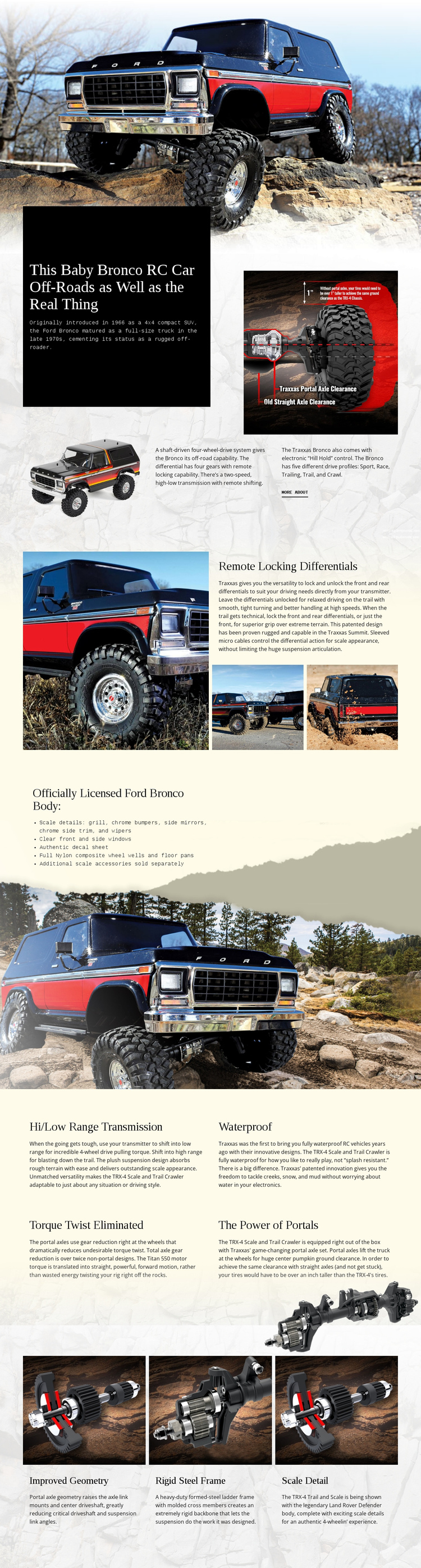
Six Content Zones Create a Continuous Bronco Product Journey
The page’s section order supports a continuous exploration of one product. The opening vehicle image establishes the subject, and the following introduction adds the main product statement, historical Ford Bronco context, drivetrain description, supporting imagery, and a More About link. From there, the visitor can move into a dedicated remote locking differentials section rather than encountering all specifications in one undifferentiated block.
The licensed body area forms another meaningful destination within the same document. Its list of chrome bumpers, side mirrors, side trim, wipers, clear windows, and an authentic decal sheet focuses on appearance and scale, while the surrounding vehicle image keeps that information connected to the product. The next section changes emphasis to four mechanical features: hi/low range transmission, waterproof construction, torque twist elimination, and portal power.
The closing grid provides a final destination for improved geometry, a rigid steel frame, and scale detail, supported by a chassis photograph. This sequence allows visitors to move from general recognition to drivetrain capability, exterior authenticity, mechanical durability, and chassis construction. It therefore works as a one-page information architecture with several distinct content stops. The Menu For One-Page Site can support section-based navigation if the project later adds a menu, but the verified template itself should be described through its existing sequence rather than an unconfirmed anchor system.
Customize with Nicepage
Open this ready-made template in the One Page Template Builder and customize it visually in the Nicepage editor. Replace demo content, edit page sections, and adapt the design to your project without rebuilding the template from scratch.
Build a Navigable One-Page Website
Connect the Menu to Page Sections
Organize the website as a sequence of sections on a single page and use the Menu For One-Page Site to connect menu items with individual page Blocks. Visitors can jump directly to sections such as About, Services, Testimonials, or Contact without opening separate pages.
Keep the Website on One URL
A one-page template can combine several parts of a small website within one continuous page. Arrange the Header, introduction, services, portfolio, company information, reviews, contact details, and other relevant sections in the order that fits the project while keeping them accessible through the same page navigation.
Make Long Pages Easier to Navigate
For longer one-page websites, keep navigation labels short and connected to meaningful sections so visitors can move through the page without relying only on scrolling. You can also use the Back To Top element to provide a quick way back to the beginning after longer sections.
This workflow makes the template suitable for compact websites that need several distinct content sections while keeping the complete visitor experience on one URL.