Great outdoor activities Joomla Template


Travel details form a structured Joomla content region
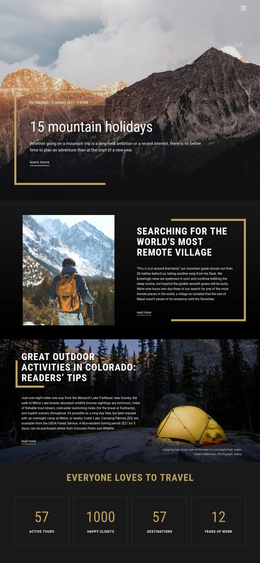
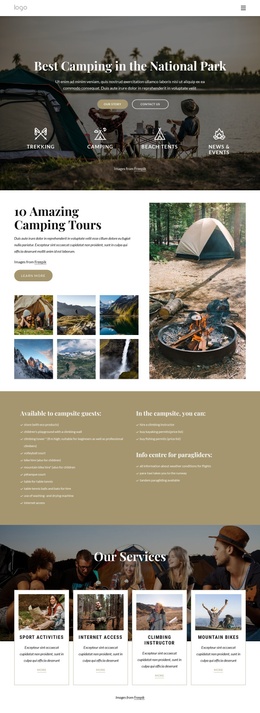
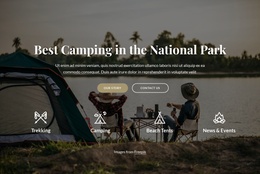
The heading and descriptive paragraph divide the block into a recognizable editorial information unit. The story’s references to Monarch Lake Trailhead, Mirror Lake near Granby, moose sightings, trout streams, swimming holes, and mountain scenery give the content a specific travel focus. The image caption adds a second layer of destination context by identifying camping near Crater Lake at the base of Lone Eagle Peak in Indian Peaks Wilderness.
In a Joomla-managed page, this arrangement can function as a stable travel-information section while the wider site handles other articles, destinations, or navigation. The left text column keeps the narrative grouped over the darkened image, and the warm divider visually marks the transition from the heading to the body copy. The yellow tent creates a clear visual cue for the camping theme without replacing the editorial role of the text.
The read-more link can lead visitors toward the external travel article or a related content destination, leaving this block as a concise introduction rather than a complete article. Nicepage’s Joomla workflow can support the broader CMS-managed project, while the block retains its defined story and visual structure.
Customize with Nicepage
Open this ready-made template in the Joomla Page Builder and customize it visually in the Nicepage editor. Replace demo content, edit page sections, and adapt the design to your project without rebuilding the template from scratch.
Edit Template Offline
2. Create a new page or select existing
3. Click Add new block, search for id 68337 and click enter
Edit Template Online
Create Awesome Websites


Free Nicepage Builder
Keywords
Work With This Template in Joomla
Customize and Install the Joomla Template
Start with this ready-made template instead of building the Joomla design from scratch. Customize its layout, content, typography, images, sections, and other design elements visually in the Nicepage application, then export and install the Joomla Template, Nicepage Extension, and supported content on your Joomla website.
Edit the Template Directly in Joomla
After installation, you can edit the Joomla Template directly in Joomla with the Nicepage Joomla Extension. Customize the Header, Footer, Colors, Fonts, typography, and Page Templates from the Joomla workflow while keeping the site design connected with your CMS content.
Edit Joomla Articles Visually
Use the Nicepage Joomla Extension to open and edit Joomla Articles visually from the Joomla Administrator. Change text, images, sections, layouts, and other page content in the Nicepage editor while continuing to manage the Articles through Joomla.
Joomla Content and Template Integration
Use the customized template together with Joomla Articles, module Positions, menus, forms, Blog Pages, and other supported CMS elements. With the Nicepage Extension used as the Site Style Source, shared design settings can be applied across Joomla Articles while Joomla continues to provide the CMS environment for managing site content.
This workflow combines a ready-made Joomla Template with visual customization, direct template editing in Joomla, and continued content management through the Nicepage Joomla Extension.