Information and contact form Joomla Template


Structured Contact Content Fits a Joomla Page Region
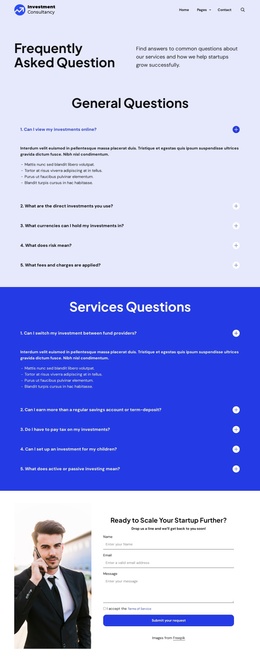
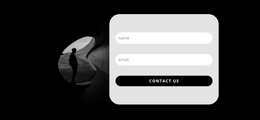
The left and right columns divide the section into two useful content roles for a Joomla-managed page. The left side carries structured context through a testimonial-style quote, supporting paragraph, circular portrait, and the speaker’s name and role. The right side presents the request area as a separate information group: “Get a demo” identifies the purpose, four visible fields collect contact details, and the submit control completes the form sequence. The block can consequently remain a stable visual region while related page content is maintained around it.
Its visual treatment also helps preserve that distinction. The black background spans both columns, white typography establishes the strongest reading level, and muted gray copy keeps supporting material from competing with the request. Thin white underlines give each field a restrained boundary, while the blue rounded button makes the response point easy to locate. These choices allow the testimonial-style context and contact inputs to feel connected without merging their functions.
Within a Joomla-oriented project, this section can act as a reusable contact or demonstration-request region inside a broader page. The surrounding site may provide navigation and other editorial areas, while this block retains its own content grouping and form purpose. The result is a CMS-compatible interpretation of the section rather than a claim that the block itself supplies a complete Joomla site structure.
Customize with Nicepage
Open this ready-made template in the Joomla Page Builder and customize it visually in the Nicepage editor. Replace demo content, edit page sections, and adapt the design to your project without rebuilding the template from scratch.
Edit Template Offline
2. Create a new page or select existing
3. Click Add new block, search for id 498262 and click enter
Edit Template Online
Create Awesome Websites


Free Nicepage Builder
Keywords
Work With This Template in Joomla
Customize and Install the Joomla Template
Start with this ready-made template instead of building the Joomla design from scratch. Customize its layout, content, typography, images, sections, and other design elements visually in the Nicepage application, then export and install the Joomla Template, Nicepage Extension, and supported content on your Joomla website.
Edit the Template Directly in Joomla
After installation, you can edit the Joomla Template directly in Joomla with the Nicepage Joomla Extension. Customize the Header, Footer, Colors, Fonts, typography, and Page Templates from the Joomla workflow while keeping the site design connected with your CMS content.
Edit Joomla Articles Visually
Use the Nicepage Joomla Extension to open and edit Joomla Articles visually from the Joomla Administrator. Change text, images, sections, layouts, and other page content in the Nicepage editor while continuing to manage the Articles through Joomla.
Joomla Content and Template Integration
Use the customized template together with Joomla Articles, module Positions, menus, forms, Blog Pages, and other supported CMS elements. With the Nicepage Extension used as the Site Style Source, shared design settings can be applied across Joomla Articles while Joomla continues to provide the CMS environment for managing site content.
This workflow combines a ready-made Joomla Template with visual customization, direct template editing in Joomla, and continued content management through the Nicepage Joomla Extension.