General questions Joomla Template


Edit Template Offline
2. Create new page and search for id 6477000
Edit Template Online
Create Awesome Websites


Free Nicepage Builder
Keywords
Investment Topics Divide Naturally Into Reusable Joomla Content Areas
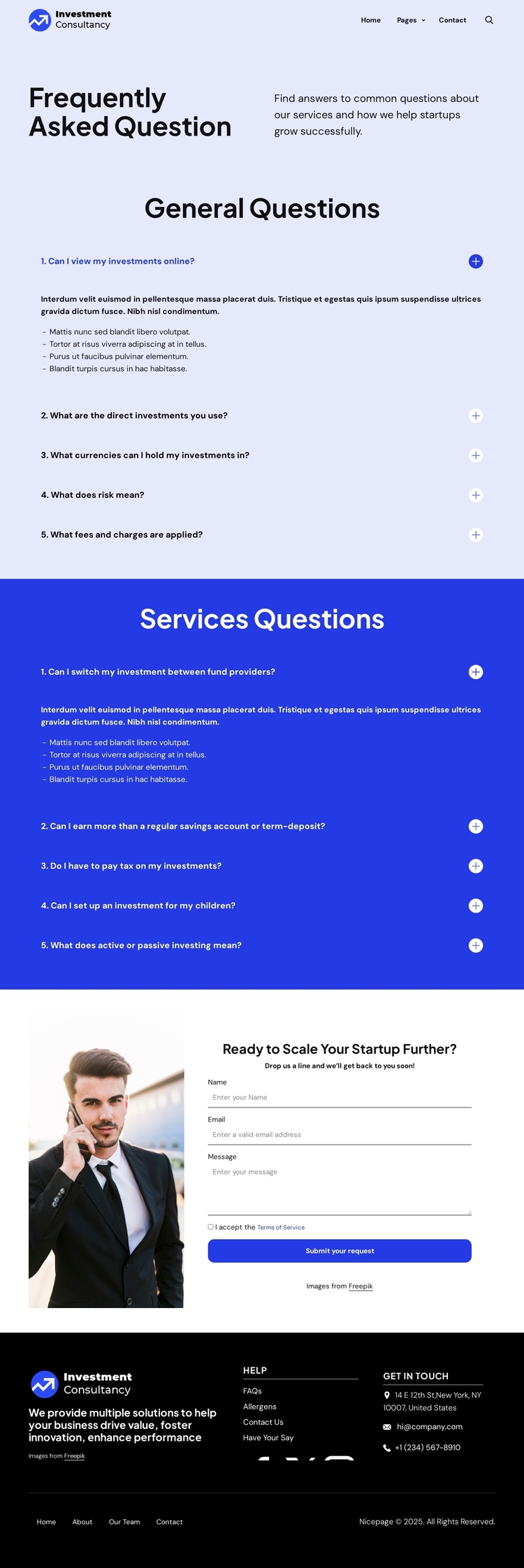
The two accordion groups give this design a useful content hierarchy for a CMS-managed investment site. The first group gathers general questions about viewing investments, direct investment choices, currencies, risk, and fees. The second focuses on service-related matters such as changing providers, expected returns, taxation, children’s investments, and active or passive approaches. Keeping these subjects in separate visual regions makes the page easier to maintain as informational content develops, without collapsing every topic into one long list.
The shared header also establishes a clear site region with the brand mark, Home, Pages, Contact Us, and search control. At the opposite end, the dark footer groups the company summary, help links, social links, contact details, and lower navigation into a consistent closing area. These recurring regions can support a broader Joomla site structure while preserving the page’s strong lavender, blue, black, and white contrast.
The “Ready to Scale Your Startup Further?” section adds a more direct content area after the educational material. Its image panel sits beside a form requesting a name, email address, message, terms acceptance, and a submission action. In a Joomla project, the FAQ information, service explanations, navigation, and inquiry content can therefore be treated as organized CMS-managed regions rather than isolated decorative blocks. The existing design provides the visual relationship; the answer content and contact details remain ready to be replaced with verified project information.
Customize with Nicepage
Open this ready-made template in the Joomla Page Builder and customize it visually in the Nicepage editor. Replace demo content, edit page sections, and adapt the design to your project without rebuilding the template from scratch.
Work With This Template in Joomla
Customize and Install the Joomla Template
Start with this ready-made template instead of building the Joomla design from scratch. Customize its layout, content, typography, images, sections, and other design elements visually in the Nicepage application, then export and install the Joomla Template, Nicepage Extension, and supported content on your Joomla website.
Edit the Template Directly in Joomla
After installation, you can edit the Joomla Template directly in Joomla with the Nicepage Joomla Extension. Customize the Header, Footer, Colors, Fonts, typography, and Page Templates from the Joomla workflow while keeping the site design connected with your CMS content.
Edit Joomla Articles Visually
Use the Nicepage Joomla Extension to open and edit Joomla Articles visually from the Joomla Administrator. Change text, images, sections, layouts, and other page content in the Nicepage editor while continuing to manage the Articles through Joomla.
Joomla Content and Template Integration
Use the customized template together with Joomla Articles, module Positions, menus, forms, Blog Pages, and other supported CMS elements. With the Nicepage Extension used as the Site Style Source, shared design settings can be applied across Joomla Articles while Joomla continues to provide the CMS environment for managing site content.
This workflow combines a ready-made Joomla Template with visual customization, direct template editing in Joomla, and continued content management through the Nicepage Joomla Extension.