Ccruise on yacht Joomla Template


The “Yacht Cruise” Label and “Stella” Title Form One Content Group
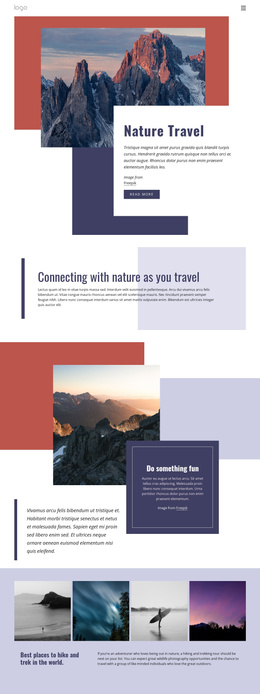
The block is organized as a single centered content group layered over a full-width background image. The aerial yacht view establishes the visual setting first, showing the vessel against turquoise water. Within that image region, the supporting label “yacht cruise” acts as the category cue, and the larger script-style title “Stella” supplies the named focus. Their vertical relationship creates a simple hierarchy: visitors encounter the offering type before the cruise name, while the centered alignment keeps both text elements connected to the yacht beneath them.
In a Joomla-managed page, this structure can serve as a stable introductory content region for a travel-oriented presentation. The label and title can remain together as one recognizable section while surrounding content handles more detailed information about destinations, schedules, or inquiries. The block does not need additional internal components to perform this introductory role; its meaning comes from the relationship between the image, the category label, and the named title.
The internal organization is also easy to distinguish from unrelated page areas because it contains one text-over-image hero region rather than several repeated groups. The white text treatment maintains contrast against the sea, and the large script title receives the strongest visual emphasis. This makes the section suitable for a Joomla page where structured cruise information begins with a concise visual introduction before continuing into other content regions.
Customize with Nicepage
Open this ready-made template in the Joomla Page Builder and customize it visually in the Nicepage editor. Replace demo content, edit page sections, and adapt the design to your project without rebuilding the template from scratch.
Edit Template Offline
2. Create a new page or select existing
3. Click Add new block, search for id 48011 and click enter
Edit Template Online
Create Awesome Websites


Free Nicepage Builder
Keywords
Work With This Template in Joomla
Customize and Install the Joomla Template
Start with this ready-made template instead of building the Joomla design from scratch. Customize its layout, content, typography, images, sections, and other design elements visually in the Nicepage application, then export and install the Joomla Template, Nicepage Extension, and supported content on your Joomla website.
Edit the Template Directly in Joomla
After installation, you can edit the Joomla Template directly in Joomla with the Nicepage Joomla Extension. Customize the Header, Footer, Colors, Fonts, typography, and Page Templates from the Joomla workflow while keeping the site design connected with your CMS content.
Edit Joomla Articles Visually
Use the Nicepage Joomla Extension to open and edit Joomla Articles visually from the Joomla Administrator. Change text, images, sections, layouts, and other page content in the Nicepage editor while continuing to manage the Articles through Joomla.
Joomla Content and Template Integration
Use the customized template together with Joomla Articles, module Positions, menus, forms, Blog Pages, and other supported CMS elements. With the Nicepage Extension used as the Site Style Source, shared design settings can be applied across Joomla Articles while Joomla continues to provide the CMS environment for managing site content.
This workflow combines a ready-made Joomla Template with visual customization, direct template editing in Joomla, and continued content management through the Nicepage Joomla Extension.