Rental Car Services Joomla Template



Structured Rental Information Fits a Joomla Content Region
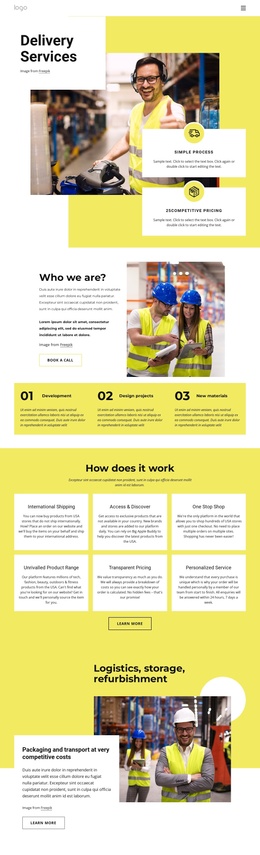
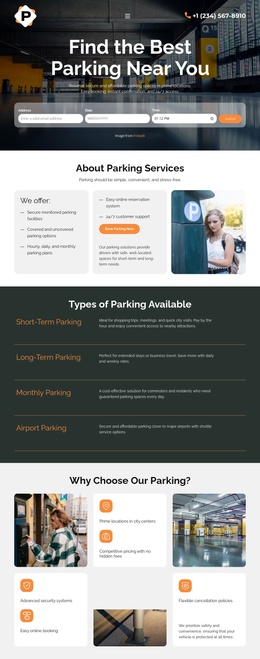
The heading and supporting paragraph establish one compact informational group about rental car services, while the three indicators provide separate service signals beside it. Location, 250+ Cars, and Happy Users are visually parallel and easy to distinguish because each uses an icon and label within the dark horizontal band. Above them, the large photograph of two people inside a car adds immediate context without replacing the text-based information structure.
In a Joomla-managed project, this block can serve as a reusable content region for a service-oriented page. Its role is closer to a stable section of structured rental information than to a complete CMS template. The copy about comparing rates worldwide and savings of up to 60% can be maintained as part of the section’s message, while the surrounding project can handle broader editorial content, navigation, and related service areas. The displayed 250+ Cars value is a visible metric label and should be reviewed before being used as current business information. The static layout also keeps all three indicators available at once, making the region suitable for a concise summary between neighboring sections. The dark band gives the content a consistent container, while the vehicle image supplies a visual entry point for the surrounding page.
Customize with Nicepage
Open this ready-made template in the Joomla Page Builder and customize it visually in the Nicepage editor. Replace demo content, edit page sections, and adapt the design to your project without rebuilding the template from scratch.
Edit Template Offline
2. Create a new page or select existing
3. Click Add new block, search for id 52132 and click enter
Edit Template Online
Create Awesome Websites


Free Nicepage Builder
Keywords
Work With This Template in Joomla
Customize and Install the Joomla Template
Start with this ready-made template instead of building the Joomla design from scratch. Customize its layout, content, typography, images, sections, and other design elements visually in the Nicepage application, then export and install the Joomla Template, Nicepage Extension, and supported content on your Joomla website.
Edit the Template Directly in Joomla
After installation, you can edit the Joomla Template directly in Joomla with the Nicepage Joomla Extension. Customize the Header, Footer, Colors, Fonts, typography, and Page Templates from the Joomla workflow while keeping the site design connected with your CMS content.
Edit Joomla Articles Visually
Use the Nicepage Joomla Extension to open and edit Joomla Articles visually from the Joomla Administrator. Change text, images, sections, layouts, and other page content in the Nicepage editor while continuing to manage the Articles through Joomla.
Joomla Content and Template Integration
Use the customized template together with Joomla Articles, module Positions, menus, forms, Blog Pages, and other supported CMS elements. With the Nicepage Extension used as the Site Style Source, shared design settings can be applied across Joomla Articles while Joomla continues to provide the CMS environment for managing site content.
This workflow combines a ready-made Joomla Template with visual customization, direct template editing in Joomla, and continued content management through the Nicepage Joomla Extension.