Cosmos art Joomla Template


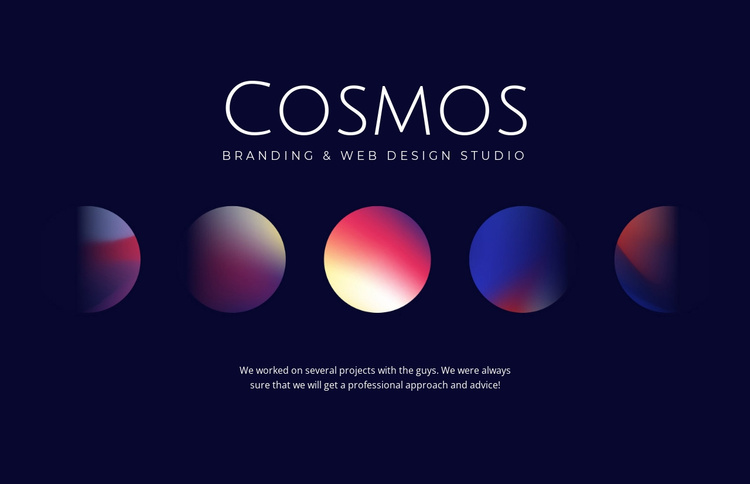
Structured Studio Information Around a Central Visual
The block separates its studio information into clear content units: the “Cosmos” heading names the identity, the descriptor identifies branding and web design services, the five circular abstract forms provide visual brand treatment, and the paragraph adds supporting project-related context. Because these units are arranged in a centered vertical stack, the section can remain a recognizable content region inside a Joomla-managed page rather than becoming a loose collection of unrelated elements.
The visual and textual roles are complementary. White typography remains legible against the deep navy background, while the multicolor circular forms create a horizontal focal point between the service descriptor and the paragraph. The generous empty space prevents the section from reading like a dense list of offerings. In a Joomla-oriented project, this makes the block suitable for a structured studio or agency information area, with surrounding CMS-managed content able to handle other page purposes.
The sample supporting paragraph can be replaced with wording appropriate to the actual studio or project, while the section’s content relationships remain useful. Its narrow role is especially clear: identity and service context are introduced first, visual treatment reinforces that message, and additional explanation follows. Other page regions can provide navigation, portfolio details, contact information, or more extensive service content. The block therefore contributes a stable content area within the broader Joomla page and site structure.
Customize with Nicepage
Open this ready-made template in the Joomla Page Builder and customize it visually in the Nicepage editor. Replace demo content, edit page sections, and adapt the design to your project without rebuilding the template from scratch.
Edit Template Offline
2. Create a new page or select existing
3. Click Add new block, search for id 46860 and click enter
Edit Template Online
Create Awesome Websites


Free Nicepage Builder
Keywords
Work With This Template in Joomla
Customize and Install the Joomla Template
Start with this ready-made template instead of building the Joomla design from scratch. Customize its layout, content, typography, images, sections, and other design elements visually in the Nicepage application, then export and install the Joomla Template, Nicepage Extension, and supported content on your Joomla website.
Edit the Template Directly in Joomla
After installation, you can edit the Joomla Template directly in Joomla with the Nicepage Joomla Extension. Customize the Header, Footer, Colors, Fonts, typography, and Page Templates from the Joomla workflow while keeping the site design connected with your CMS content.
Edit Joomla Articles Visually
Use the Nicepage Joomla Extension to open and edit Joomla Articles visually from the Joomla Administrator. Change text, images, sections, layouts, and other page content in the Nicepage editor while continuing to manage the Articles through Joomla.
Joomla Content and Template Integration
Use the customized template together with Joomla Articles, module Positions, menus, forms, Blog Pages, and other supported CMS elements. With the Nicepage Extension used as the Site Style Source, shared design settings can be applied across Joomla Articles while Joomla continues to provide the CMS environment for managing site content.
This workflow combines a ready-made Joomla Template with visual customization, direct template editing in Joomla, and continued content management through the Nicepage Joomla Extension.