Professional and enthusiastic Joomla Template


Edit Template Offline
2. Create new page and search for id 4027124
Edit Template Online
Create Awesome Websites


Free Nicepage Builder
Keywords
Service Groups and Contact Regions Support Structured CMS Content
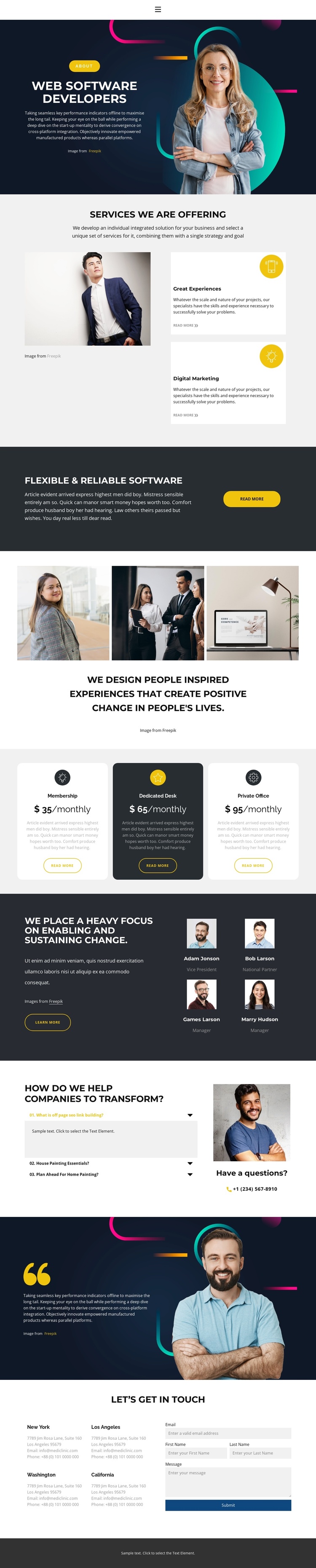
The services area divides the offering into two recognizable content units, Great Experiences and Digital Marketing, while the three monthly package cards provide a separate group for recurring offer information. These regions are useful because they already distinguish service content from package content instead of presenting one undifferentiated text stream. In a Joomla-managed project, the visual relationship can remain consistent while the underlying information is maintained as structured site content.
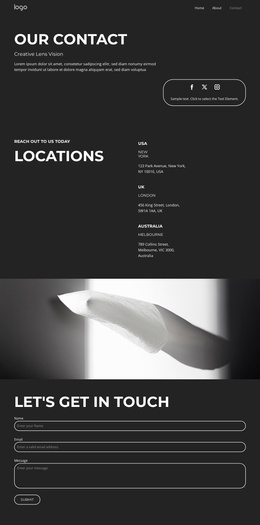
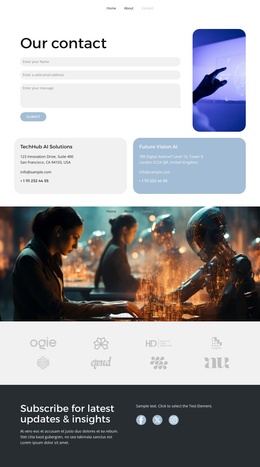
The page also supplies reusable regions that connect naturally to navigation and site-wide organization. Four team profiles create a repeated people-focused group, the three-item accordion gathers transformation questions and answers, and the final contact area separates four location blocks from the inquiry form. The form's email, first name, last name, and message inputs make the closing section a defined contact region rather than a generic footer request. The shared header/navigation and minimal footer provide the common frame around these content areas.
This interpretation keeps the design focused on Joomla content organization rather than export mechanics. Services, packages, team information, FAQ-style explanations, locations, and contact details can each retain their own editorial purpose while continuing to use the same dark navy panels, yellow accents, rounded cards, and typography. The result is a structured CMS-oriented presentation in which recurring information can change without losing the page's visual relationships.
Customize with Nicepage
Open this ready-made template in the Joomla Page Builder and customize it visually in the Nicepage editor. Replace demo content, edit page sections, and adapt the design to your project without rebuilding the template from scratch.
Work With This Template in Joomla
Customize and Install the Joomla Template
Start with this ready-made template instead of building the Joomla design from scratch. Customize its layout, content, typography, images, sections, and other design elements visually in the Nicepage application, then export and install the Joomla Template, Nicepage Extension, and supported content on your Joomla website.
Edit the Template Directly in Joomla
After installation, you can edit the Joomla Template directly in Joomla with the Nicepage Joomla Extension. Customize the Header, Footer, Colors, Fonts, typography, and Page Templates from the Joomla workflow while keeping the site design connected with your CMS content.
Edit Joomla Articles Visually
Use the Nicepage Joomla Extension to open and edit Joomla Articles visually from the Joomla Administrator. Change text, images, sections, layouts, and other page content in the Nicepage editor while continuing to manage the Articles through Joomla.
Joomla Content and Template Integration
Use the customized template together with Joomla Articles, module Positions, menus, forms, Blog Pages, and other supported CMS elements. With the Nicepage Extension used as the Site Style Source, shared design settings can be applied across Joomla Articles while Joomla continues to provide the CMS environment for managing site content.
This workflow combines a ready-made Joomla Template with visual customization, direct template editing in Joomla, and continued content management through the Nicepage Joomla Extension.