First number on the market Joomla Template



Edit Template Offline
2. Create new page and search for id 3510518
Edit Template Online
Create Awesome Websites


Free Nicepage Builder
Keywords
Services, Projects, and Topic Rows Divide the Design into CMS Content Areas
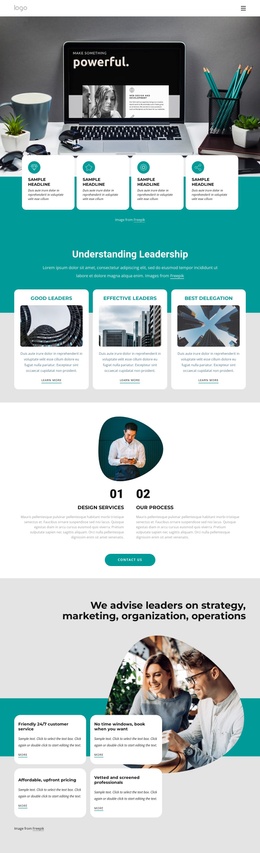
The service cards in the opening section provide four distinct informational groups: Consulting, Strategy, Mission, and Investment. Together with the web-experience and business-lifestyle sections, they give the design a useful content hierarchy for a Joomla-managed presentation. The blue pricing area adds a separate offer region containing a monthly amount, trial language, feature bullets, and a start-trial action, while the six project cards provide a repeated structure for presenting work or initiatives.
The visual mosaic and team collage serve different editorial roles. Marketing and Flexibility appear as labeled content tiles among photographs, whereas the team section combines an About Us panel with multiple portraits. Near the bottom, three expandable topic rows create a compact way to organize business and education information without making the page a continuous wall of text. These regions can be interpreted as coordinated site content rather than as isolated visual decorations.
A Joomla project could therefore preserve the shared navigation, recurring visual regions, structured service information, project cards, and contact area while editorial content changes over time. Nicepage documents Joomla Articles and supported content through Joomla Template installation and articles; that CMS bridge is relevant to organizing these visible content areas, not proof that the demo text represents a real organization.
Customize with Nicepage
Open this ready-made template in the Joomla Page Builder and customize it visually in the Nicepage editor. Replace demo content, edit page sections, and adapt the design to your project without rebuilding the template from scratch.
Work With This Template in Joomla
Customize and Install the Joomla Template
Start with this ready-made template instead of building the Joomla design from scratch. Customize its layout, content, typography, images, sections, and other design elements visually in the Nicepage application, then export and install the Joomla Template, Nicepage Extension, and supported content on your Joomla website.
Edit the Template Directly in Joomla
After installation, you can edit the Joomla Template directly in Joomla with the Nicepage Joomla Extension. Customize the Header, Footer, Colors, Fonts, typography, and Page Templates from the Joomla workflow while keeping the site design connected with your CMS content.
Edit Joomla Articles Visually
Use the Nicepage Joomla Extension to open and edit Joomla Articles visually from the Joomla Administrator. Change text, images, sections, layouts, and other page content in the Nicepage editor while continuing to manage the Articles through Joomla.
Joomla Content and Template Integration
Use the customized template together with Joomla Articles, module Positions, menus, forms, Blog Pages, and other supported CMS elements. With the Nicepage Extension used as the Site Style Source, shared design settings can be applied across Joomla Articles while Joomla continues to provide the CMS environment for managing site content.
This workflow combines a ready-made Joomla Template with visual customization, direct template editing in Joomla, and continued content management through the Nicepage Joomla Extension.