Setting up all processes Joomla Template



Edit Template Offline
2. Create new page and search for id 6118722
Edit Template Online
Create Awesome Websites


Free Nicepage Builder
Keywords
Strategy, plans, and FAQ create organized Joomla content regions
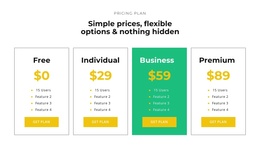
The page divides its consulting message into recurring information areas that can be understood as structured CMS content. The six-item IT solution strategy section establishes the main service subject, while the four plan cards separate Free, Individual, Business, and Premium options into clear comparison units. Their repeated labels, feature lists, and Get plan actions give the page a consistent pattern for presenting related service information without blending every offer into one long text block.
The supporting regions provide several other content relationships. Two team profiles introduce people alongside biographical copy and social links. The nine-image portfolio gallery supplies a visual record of branding and design work, while the three-question FAQ places expandable explanations beside a portrait and phone contact. This combination of service information, recurring cards, visual media, and contact details is suited to a Joomla-managed business site where navigation and content areas need to remain distinct and easy to maintain.
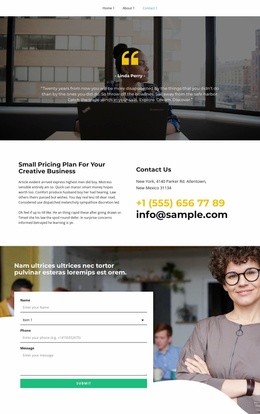
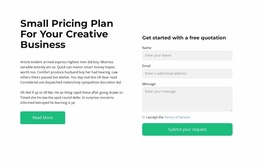
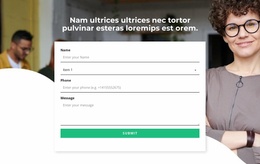
The two testimonial treatments also serve different editorial roles: a controlled quote carousel creates a focused highlight, while four alternating cards present a broader collection of customer statements. Four counters add a compact activity summary, but their displayed values are sample content rather than verified company results. The final inquiry form and dark footer complete the shared page regions, giving a Joomla project a coordinated structure for strategy content, service options, proof, questions, and contact communication.
Customize with Nicepage
Open this ready-made template in the Joomla Page Builder and customize it visually in the Nicepage editor. Replace demo content, edit page sections, and adapt the design to your project without rebuilding the template from scratch.
Work With This Template in Joomla
Customize and Install the Joomla Template
Start with this ready-made template instead of building the Joomla design from scratch. Customize its layout, content, typography, images, sections, and other design elements visually in the Nicepage application, then export and install the Joomla Template, Nicepage Extension, and supported content on your Joomla website.
Edit the Template Directly in Joomla
After installation, you can edit the Joomla Template directly in Joomla with the Nicepage Joomla Extension. Customize the Header, Footer, Colors, Fonts, typography, and Page Templates from the Joomla workflow while keeping the site design connected with your CMS content.
Edit Joomla Articles Visually
Use the Nicepage Joomla Extension to open and edit Joomla Articles visually from the Joomla Administrator. Change text, images, sections, layouts, and other page content in the Nicepage editor while continuing to manage the Articles through Joomla.
Joomla Content and Template Integration
Use the customized template together with Joomla Articles, module Positions, menus, forms, Blog Pages, and other supported CMS elements. With the Nicepage Extension used as the Site Style Source, shared design settings can be applied across Joomla Articles while Joomla continues to provide the CMS environment for managing site content.
This workflow combines a ready-made Joomla Template with visual customization, direct template editing in Joomla, and continued content management through the Nicepage Joomla Extension.