Your dogs happiness and health Joomla Template


Dog-Care Topics Fit a Structured Joomla Content Region
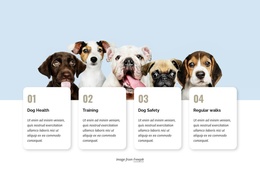
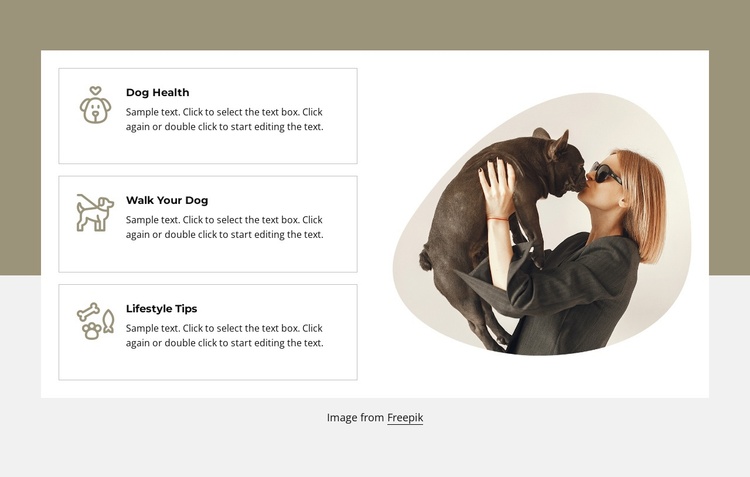
Dog Health, Walk Your Dog, and Lifestyle Tips give this section three recognizable units of structured pet-care information. Each unit has the same internal pattern—an icon, a title, and supporting paragraph text—so the content can be understood as a related set of topics rather than as one long article. The repeated cards also make the section suitable for a stable informational area within a Joomla-managed page, where surrounding content can provide broader navigation and editorial context.
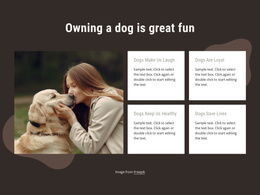
The large woman-and-dog image creates a separate visual region on the right. It reinforces the pet-care subject without being treated as a fourth topic or a content record. On the left, thin rectangular borders separate the three units; dark titles establish hierarchy, and muted accent icons help distinguish the items within the white panel. The gray and taupe background remains outside that panel, giving the content region a defined visual boundary.
In a Joomla-oriented project, this block can serve as a reusable section for organized service or guidance topics. Its value comes from the relationship between clearly labeled information units and a supporting image, not from CMS structures being visible inside the design. The section can remain visually consistent while the wider site manages other pages and content areas. The sample paragraph text should be replaced with the project’s own material, while the three topic labels provide the existing content framework.
Customize with Nicepage
Open this ready-made template in the Joomla Page Builder and customize it visually in the Nicepage editor. Replace demo content, edit page sections, and adapt the design to your project without rebuilding the template from scratch.
Edit Template Offline
2. Create a new page or select existing
3. Click Add new block, search for id 2399185 and click enter
Edit Template Online
Create Awesome Websites


Free Nicepage Builder
Keywords
Work With This Template in Joomla
Customize and Install the Joomla Template
Start with this ready-made template instead of building the Joomla design from scratch. Customize its layout, content, typography, images, sections, and other design elements visually in the Nicepage application, then export and install the Joomla Template, Nicepage Extension, and supported content on your Joomla website.
Edit the Template Directly in Joomla
After installation, you can edit the Joomla Template directly in Joomla with the Nicepage Joomla Extension. Customize the Header, Footer, Colors, Fonts, typography, and Page Templates from the Joomla workflow while keeping the site design connected with your CMS content.
Edit Joomla Articles Visually
Use the Nicepage Joomla Extension to open and edit Joomla Articles visually from the Joomla Administrator. Change text, images, sections, layouts, and other page content in the Nicepage editor while continuing to manage the Articles through Joomla.
Joomla Content and Template Integration
Use the customized template together with Joomla Articles, module Positions, menus, forms, Blog Pages, and other supported CMS elements. With the Nicepage Extension used as the Site Style Source, shared design settings can be applied across Joomla Articles while Joomla continues to provide the CMS environment for managing site content.
This workflow combines a ready-made Joomla Template with visual customization, direct template editing in Joomla, and continued content management through the Nicepage Joomla Extension.