Follow us on Joomla Template


Edit Template Offline
2. Create new page and search for id 6172917
Edit Template Online
Create Awesome Websites


Free Nicepage Builder
Keywords
Contact, Social, and Subscription Regions for Managed Content
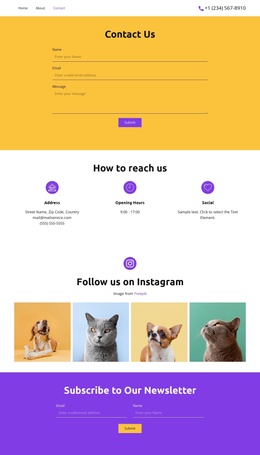
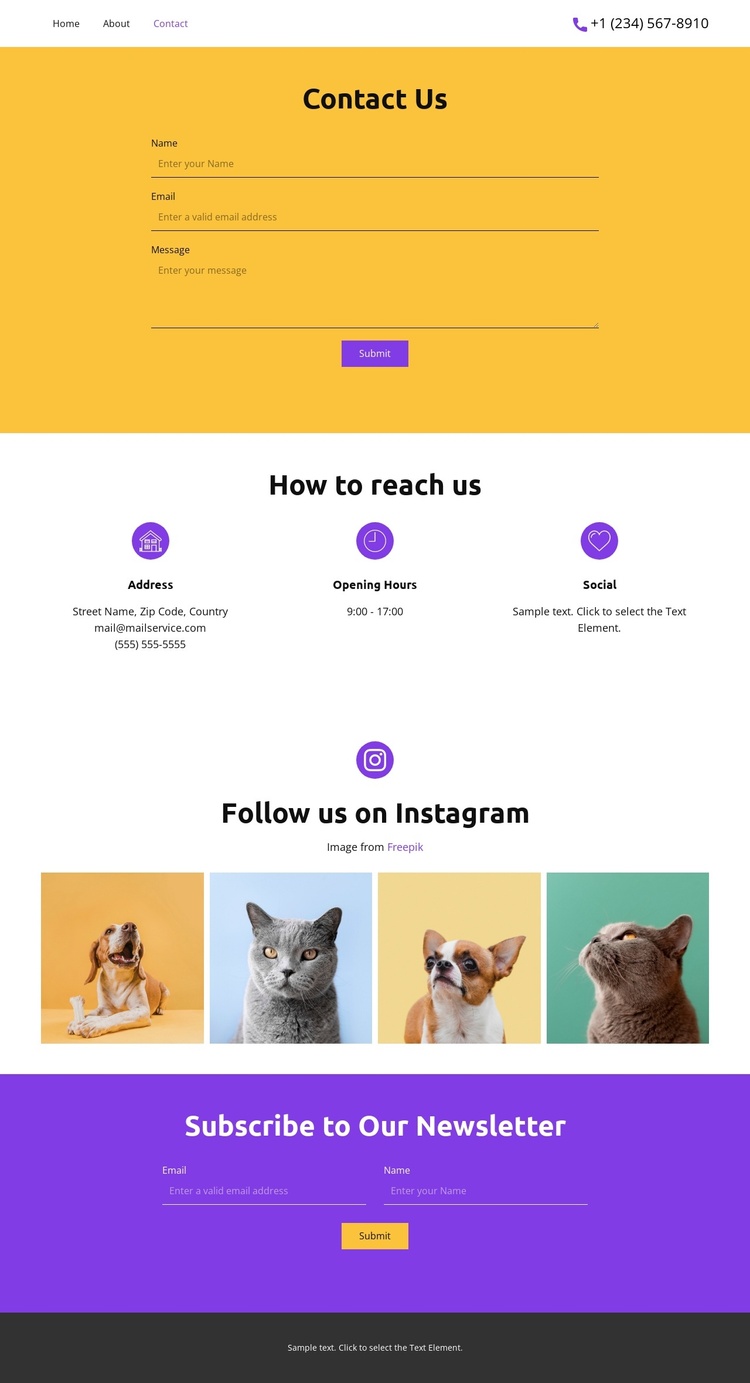
The three information cards give the design a useful content division for a Joomla-managed contact page. Address, opening hours, and social information occupy separate repeated areas beneath the main message form, so each region can retain its own content purpose while remaining visually coordinated. This is different from treating all contact details as one long text field: the horizontal card row creates clear, recognizable areas within the page.
The opening yellow form supports direct messages, while the purple newsletter form supports a separate subscription relationship. Their positions and colors distinguish the two kinds of visitor response without changing the compact page structure. Between them, the four-image Instagram gallery provides a visual content area that can sit alongside structured contact information and social references. The navigation links to Home, About, and Contact establish the page as one part of a wider site rather than an isolated screen.
Shared navigation and the dark footer also create reusable site regions around the page-specific content. In a Joomla project, this arrangement can therefore accommodate managed contact information, service availability details, social imagery, and subscription content while keeping the visual sequence intact. The sample address, email, phone number, and hours should be replaced with verified project data; they demonstrate the intended fields, not a real organization. The Joomla Template and supported content documentation describes the relevant Joomla integration.
Customize with Nicepage
Open this ready-made template in the Joomla Page Builder and customize it visually in the Nicepage editor. Replace demo content, edit page sections, and adapt the design to your project without rebuilding the template from scratch.
Work With This Template in Joomla
Customize and Install the Joomla Template
Start with this ready-made template instead of building the Joomla design from scratch. Customize its layout, content, typography, images, sections, and other design elements visually in the Nicepage application, then export and install the Joomla Template, Nicepage Extension, and supported content on your Joomla website.
Edit the Template Directly in Joomla
After installation, you can edit the Joomla Template directly in Joomla with the Nicepage Joomla Extension. Customize the Header, Footer, Colors, Fonts, typography, and Page Templates from the Joomla workflow while keeping the site design connected with your CMS content.
Edit Joomla Articles Visually
Use the Nicepage Joomla Extension to open and edit Joomla Articles visually from the Joomla Administrator. Change text, images, sections, layouts, and other page content in the Nicepage editor while continuing to manage the Articles through Joomla.
Joomla Content and Template Integration
Use the customized template together with Joomla Articles, module Positions, menus, forms, Blog Pages, and other supported CMS elements. With the Nicepage Extension used as the Site Style Source, shared design settings can be applied across Joomla Articles while Joomla continues to provide the CMS environment for managing site content.
This workflow combines a ready-made Joomla Template with visual customization, direct template editing in Joomla, and continued content management through the Nicepage Joomla Extension.