Sea travel agency Joomla Template


Structured Agency Information in a Joomla Page Region
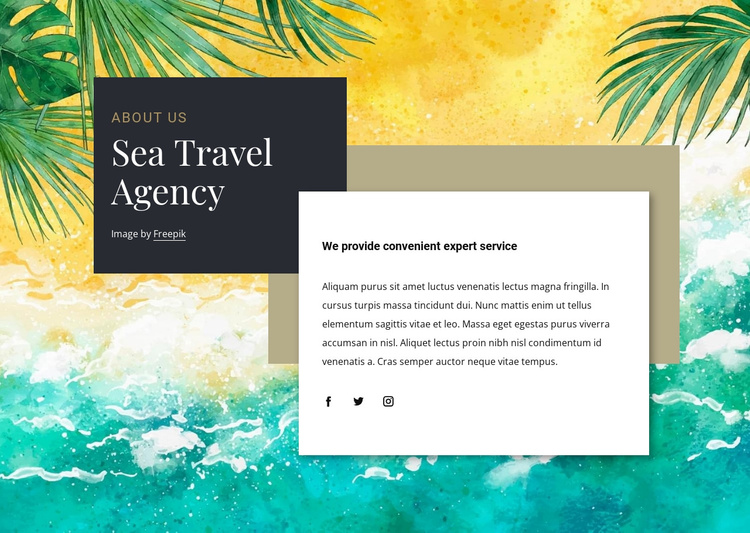
The dark title panel gives the section a stable identification unit through the “about us” label and “Sea Travel Agency” heading. The white panel then carries the supporting heading and descriptive paragraph as a second, readable information unit. That separation suits a Joomla-managed content region where the agency introduction can remain visually recognizable while related travel information is maintained elsewhere in the surrounding page.
The tropical ocean background supplies the subject’s visual setting, but the content hierarchy remains clear because the charcoal and white panels contrast strongly with the image. Their overlap and offset spacing create a distinctive section arrangement without changing the straightforward progression from identification to explanation. Three social links beneath the paragraph form a separate set of destinations that can complement the introductory information, while the image-credit link retains its attribution purpose.
In a Joomla-oriented project, this block can serve as a reusable About area within a page composition. Its structured headings and paragraph give editors a focused content region to maintain, and its layered visual treatment keeps that region distinct from neighboring material. The section can therefore support a broader CMS-managed page while preserving the same relationship between agency title, service statement, scenic background, and social links.
Customize with Nicepage
Open this ready-made template in the Joomla Page Builder and customize it visually in the Nicepage editor. Replace demo content, edit page sections, and adapt the design to your project without rebuilding the template from scratch.
Edit Template Offline
2. Create a new page or select existing
3. Click Add new block, search for id 197739 and click enter
Edit Template Online
Create Awesome Websites


Free Nicepage Builder
Keywords
Work With This Template in Joomla
Customize and Install the Joomla Template
Start with this ready-made template instead of building the Joomla design from scratch. Customize its layout, content, typography, images, sections, and other design elements visually in the Nicepage application, then export and install the Joomla Template, Nicepage Extension, and supported content on your Joomla website.
Edit the Template Directly in Joomla
After installation, you can edit the Joomla Template directly in Joomla with the Nicepage Joomla Extension. Customize the Header, Footer, Colors, Fonts, typography, and Page Templates from the Joomla workflow while keeping the site design connected with your CMS content.
Edit Joomla Articles Visually
Use the Nicepage Joomla Extension to open and edit Joomla Articles visually from the Joomla Administrator. Change text, images, sections, layouts, and other page content in the Nicepage editor while continuing to manage the Articles through Joomla.
Joomla Content and Template Integration
Use the customized template together with Joomla Articles, module Positions, menus, forms, Blog Pages, and other supported CMS elements. With the Nicepage Extension used as the Site Style Source, shared design settings can be applied across Joomla Articles while Joomla continues to provide the CMS environment for managing site content.
This workflow combines a ready-made Joomla Template with visual customization, direct template editing in Joomla, and continued content management through the Nicepage Joomla Extension.