Future technology Joomla Template


Edit Template Offline
2. Create new page and search for id 18337
Edit Template Online
Create Awesome Websites


Free Nicepage Builder
Keywords
Technology Articles and Categories Form Structured CMS Content
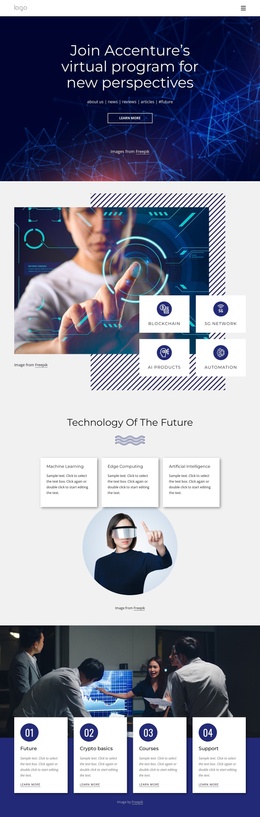
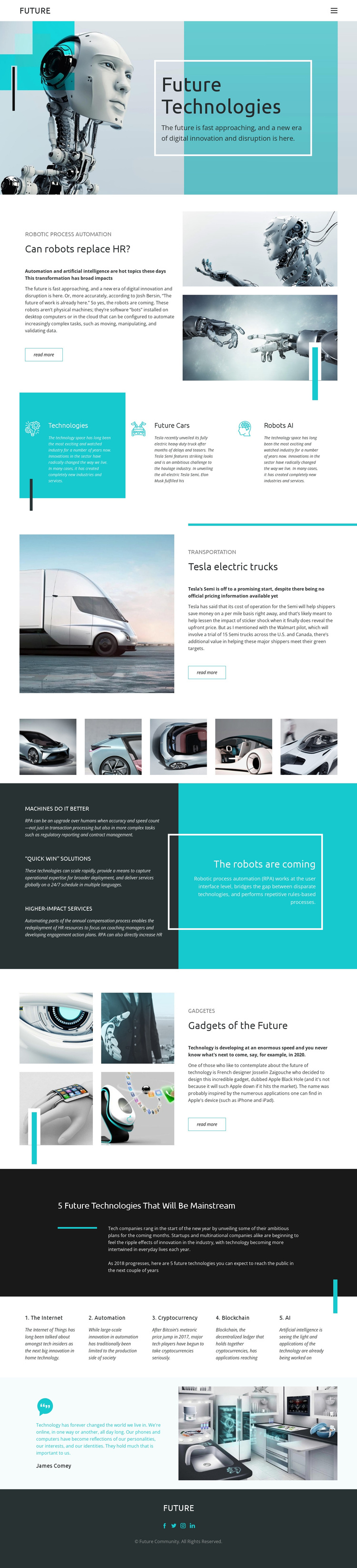
The page divides its subject into reusable informational regions that can be understood as organized CMS content. The FUTURE header and page links establish the main navigation, while the article areas give separate editorial treatment to robotic process automation, Tesla electric trucks, and gadgets of the future. Their repeated split pattern creates a consistent region for technology stories without making the subjects appear interchangeable.
The three category panels add another level of organization by grouping Technologies, Future Cars, and Robots AI as peer topics. The five-image vehicle gallery supports that structure with visual material related to transportation, while the “The robots are coming” section collects three automation benefits into a compact supporting area. These relationships provide useful boundaries for structured site content: articles, categories, imagery, and explanatory statements each retain a recognizable role.
The numbered list extends the editorial hierarchy through five subjects—the Internet, automation, cryptocurrency, blockchain, and AI—before the quotation and Future Community footer close the page. In a Joomla-managed project, this arrangement can support a site where navigation, informational sections, repeated topic content, and shared footer regions remain coordinated. The value lies in the template’s concrete division of content, not in assuming that any unverified Joomla article or module already exists.
Customize with Nicepage
Open this ready-made template in the Joomla Page Builder and customize it visually in the Nicepage editor. Replace demo content, edit page sections, and adapt the design to your project without rebuilding the template from scratch.
Work With This Template in Joomla
Customize and Install the Joomla Template
Start with this ready-made template instead of building the Joomla design from scratch. Customize its layout, content, typography, images, sections, and other design elements visually in the Nicepage application, then export and install the Joomla Template, Nicepage Extension, and supported content on your Joomla website.
Edit the Template Directly in Joomla
After installation, you can edit the Joomla Template directly in Joomla with the Nicepage Joomla Extension. Customize the Header, Footer, Colors, Fonts, typography, and Page Templates from the Joomla workflow while keeping the site design connected with your CMS content.
Edit Joomla Articles Visually
Use the Nicepage Joomla Extension to open and edit Joomla Articles visually from the Joomla Administrator. Change text, images, sections, layouts, and other page content in the Nicepage editor while continuing to manage the Articles through Joomla.
Joomla Content and Template Integration
Use the customized template together with Joomla Articles, module Positions, menus, forms, Blog Pages, and other supported CMS elements. With the Nicepage Extension used as the Site Style Source, shared design settings can be applied across Joomla Articles while Joomla continues to provide the CMS environment for managing site content.
This workflow combines a ready-made Joomla Template with visual customization, direct template editing in Joomla, and continued content management through the Nicepage Joomla Extension.