Design of future technology Joomla Template


Edit Template Offline
2. Create new page and search for id 12295
Edit Template Online
Create Awesome Websites


Free Nicepage Builder
Keywords
Project and information regions suit organized CMS content
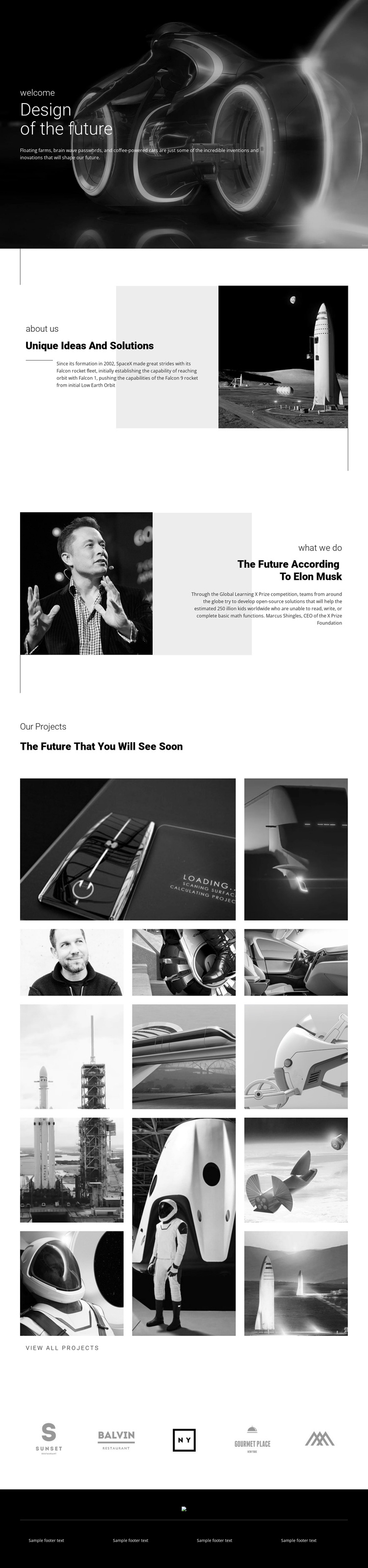
The page separates its subject matter into content regions that can be understood independently while remaining visually coordinated. The hero establishes the broad future-technology theme, but the next two sections provide more specific informational areas: “Unique Ideas And Solutions” is paired with a rocket image, and the portrait-led block presents commentary about the future. These regions could therefore be treated as distinct pieces of structured site content rather than one uninterrupted paragraph.
The project material has its own repeated-content logic. One gallery introduces five images in an asymmetrical arrangement, while the following gallery expands the display with eight images in three vertical columns. This distinction gives the page both an introductory showcase and a larger project area. The “View all projects” action marks the relationship between the visible selection and a possible broader project destination without claiming that additional pages already exist. Five brand marks then form a separate horizontal region, suitable for a coordinated display of partner or brand information.
The footer reinforces the shared-site side of the design through a dark bar, logo area, divider, and four text blocks. In a Joomla-managed implementation, these defined regions could keep recurring information, navigation, and project-related content visually aligned as the site develops. The monochrome palette and repeated spacing remain the design framework; the value lies in mapping the template’s actual information groups into an organized content environment rather than adding unsupported CMS structures.
Customize with Nicepage
Open this ready-made template in the Joomla Page Builder and customize it visually in the Nicepage editor. Replace demo content, edit page sections, and adapt the design to your project without rebuilding the template from scratch.
Work With This Template in Joomla
Customize and Install the Joomla Template
Start with this ready-made template instead of building the Joomla design from scratch. Customize its layout, content, typography, images, sections, and other design elements visually in the Nicepage application, then export and install the Joomla Template, Nicepage Extension, and supported content on your Joomla website.
Edit the Template Directly in Joomla
After installation, you can edit the Joomla Template directly in Joomla with the Nicepage Joomla Extension. Customize the Header, Footer, Colors, Fonts, typography, and Page Templates from the Joomla workflow while keeping the site design connected with your CMS content.
Edit Joomla Articles Visually
Use the Nicepage Joomla Extension to open and edit Joomla Articles visually from the Joomla Administrator. Change text, images, sections, layouts, and other page content in the Nicepage editor while continuing to manage the Articles through Joomla.
Joomla Content and Template Integration
Use the customized template together with Joomla Articles, module Positions, menus, forms, Blog Pages, and other supported CMS elements. With the Nicepage Extension used as the Site Style Source, shared design settings can be applied across Joomla Articles while Joomla continues to provide the CMS environment for managing site content.
This workflow combines a ready-made Joomla Template with visual customization, direct template editing in Joomla, and continued content management through the Nicepage Joomla Extension.