Our digital delivery platform WordPress Theme



Repeated feature cards create stable WordPress page content
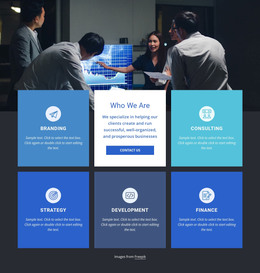
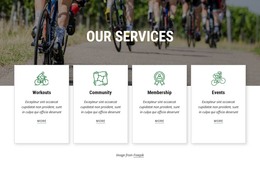
The four-card row provides the block’s main content model. Each repeated white card combines a circular line icon with a supporting paragraph, giving every item the same visual space and a comparable reading role. Their overlap with the large business-meeting image creates a layered section: the photograph supplies shared collaboration context, while the cards turn that context into four separate feature summaries. The muted olive background keeps the group visually unified without adding another content component.
For a WordPress-managed page, this structure can work as permanent business or features content rather than as a time-sensitive editorial feed. The repeated cards offer stable places for project-specific descriptions, while the surrounding site can manage other pages and content types independently. The sample paragraph text indicates the intended text-bearing structure, not a fixed business claim, so the card copy can be replaced while preserving the same visual pattern.
The section is especially suited to a page that needs a concise group of related explanations beneath a strong image. Its horizontal organization makes the four items read as a coordinated set, and the consistent icon-and-text pairing supports scanning. In a broader WordPress site, the block can retain this visual role while other content regions provide navigation, detailed information, contact options, or regularly updated material.
Customize with Nicepage
Open this ready-made template in the WordPress Website Builder and customize it visually in the Nicepage editor. Replace demo content, edit page sections, and adapt the design to your project without rebuilding the template from scratch.
Edit Template Offline
2. Create a new page or select existing
3. Click Add new block, search for id 97680 and click enter
Edit Template Online
Create Awesome Websites


Free Nicepage Builder
Keywords
Manage and Edit This Theme in WordPress
Customize and Install the WordPress Theme
Start with this ready-made theme instead of building the WordPress design from scratch. Customize its layout, content, typography, images, sections, and other design elements visually in Nicepage editor, then export and install the WordPress Theme, Plugin, and Pages on your WordPress site. The Nicepage WordPress Plugin lets you continue working with the site after installation.
Edit the Theme Directly in WordPress
After installation, you can edit the WordPress Theme directly in WordPress with the Nicepage WordPress Plugin. Use Site Style to customize site Colors, Fonts, Header, Footer, Blog, and Post Page Templates while working within your WordPress website.
Edit WordPress Pages Visually
Use the Nicepage WordPress Plugin to edit page content directly from the WordPress admin area. Open a WordPress Page with Nicepage and visually change its text, images, sections, and other page elements while continuing to manage the Page through WordPress.
WordPress Content and Theme Integration
Use the customized theme with WordPress Pages, Posts, Blog and Post Templates, menus, widgets, and other CMS-managed content. Shared theme elements such as Colors, Fonts, Header, Footer, Blog, and Post Page Templates can be managed as part of the overall site design, while WordPress provides the CMS environment for managing site content.
This workflow combines a ready-made WordPress Theme with visual customization, direct theme editing in WordPress, and continued content management through the Nicepage WordPress Plugin.