We are a sales-oriented agency WordPress Theme



Portraits and Collaboration Imagery Form Stable Team Page Content
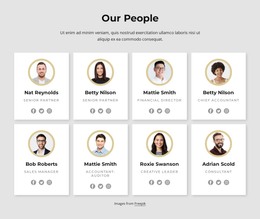
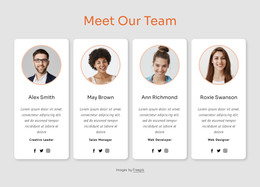
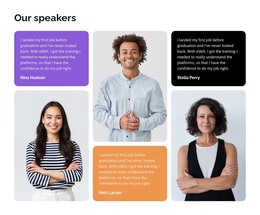
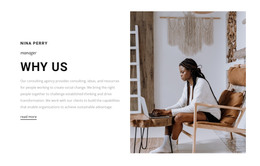
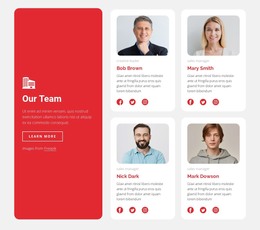
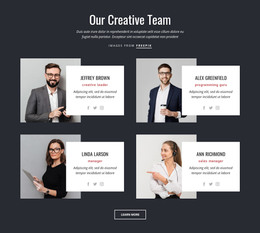
The four photographic tiles give this section a clear page-content model: individual portraits show people separately, while the group collaboration image introduces a shared workplace context. The asymmetrical arrangement places the largest portrait in the upper-left position, so the eye enters through one person before moving toward the heading and group image. Two smaller portraits then complete the lower portion of the composition, creating variety without requiring a long text block.
For a WordPress-oriented project, this arrangement can function as stable team content on a page managed alongside other site material. The “Our Team” heading makes the section easy to distinguish from services or company information, while the black “Contact Us” button gives visitors a clear route toward communication after viewing the photographs. The action supports the section’s page role without suggesting that the block itself contains the full site or every related team detail.
The white background keeps the image collage open, and the olive-green accent blocks give the lower row a visual marker that can help the section retain its identity within a larger page. A WordPress-managed site could place additional explanatory content, biographies, or contact areas around it, while this block remains the concise visual introduction to the people. Its combination of heading, four images, color accents, and contact action creates a focused publishable content area rather than a generic gallery.
Customize with Nicepage
Open this ready-made template in the WordPress Website Builder and customize it visually in the Nicepage editor. Replace demo content, edit page sections, and adapt the design to your project without rebuilding the template from scratch.
Edit Template Offline
2. Create a new page or select existing
3. Click Add new block, search for id 96879 and click enter
Edit Template Online
Create Awesome Websites


Free Nicepage Builder
Keywords
Manage and Edit This Theme in WordPress
Customize and Install the WordPress Theme
Start with this ready-made theme instead of building the WordPress design from scratch. Customize its layout, content, typography, images, sections, and other design elements visually in Nicepage editor, then export and install the WordPress Theme, Plugin, and Pages on your WordPress site. The Nicepage WordPress Plugin lets you continue working with the site after installation.
Edit the Theme Directly in WordPress
After installation, you can edit the WordPress Theme directly in WordPress with the Nicepage WordPress Plugin. Use Site Style to customize site Colors, Fonts, Header, Footer, Blog, and Post Page Templates while working within your WordPress website.
Edit WordPress Pages Visually
Use the Nicepage WordPress Plugin to edit page content directly from the WordPress admin area. Open a WordPress Page with Nicepage and visually change its text, images, sections, and other page elements while continuing to manage the Page through WordPress.
WordPress Content and Theme Integration
Use the customized theme with WordPress Pages, Posts, Blog and Post Templates, menus, widgets, and other CMS-managed content. Shared theme elements such as Colors, Fonts, Header, Footer, Blog, and Post Page Templates can be managed as part of the overall site design, while WordPress provides the CMS environment for managing site content.
This workflow combines a ready-made WordPress Theme with visual customization, direct theme editing in WordPress, and continued content management through the Nicepage WordPress Plugin.