Hotel project WordPress Theme


The Building Photograph Works as Stable Portfolio Content
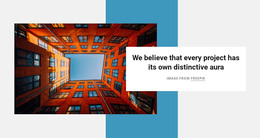
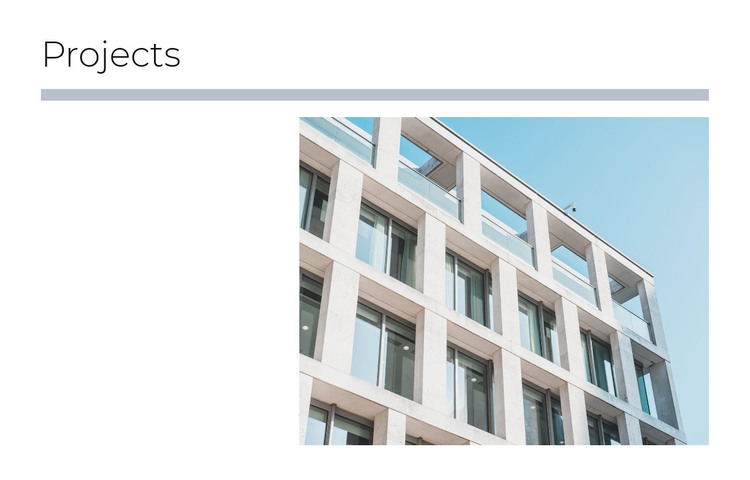
The “Projects” heading and single building photograph create a compact content area that can function as permanent portfolio material in a WordPress-managed page. The image shows a modern multi-story building with balconies and extensive glazing, giving the section a concrete visual subject without requiring a collection of changing items. This makes the block suitable for a stable project presentation that can remain part of a services, portfolio, or company page as the broader site develops.
The layout supports that role through a clear internal order. A thick muted blue-gray divider spans the content width below the heading, then the large photograph is placed toward the right. Generous white space on the left prevents the image from feeling crowded and leaves room for the section to breathe within the page composition. The restrained black heading and white background keep the presentation neutral enough to sit beside other page sections, while the building’s strong vertical and horizontal lines provide the visual emphasis.
In a WordPress-oriented project, this block can remain one reusable visual section while the surrounding site manages other page content through its broader publishing environment. Additional project descriptions, related images, service information, or contact areas can be placed elsewhere rather than being implied here. The section’s role is narrower and clearer: it labels a project area and gives one architectural image a prominent, repeatable place within the page.
Customize with Nicepage
Open this ready-made template in the WordPress Website Builder and customize it visually in the Nicepage editor. Replace demo content, edit page sections, and adapt the design to your project without rebuilding the template from scratch.
Edit Template Offline
2. Create a new page or select existing
3. Click Add new block, search for id 960469 and click enter
Edit Template Online
Create Awesome Websites


Free Nicepage Builder
Keywords
Manage and Edit This Theme in WordPress
Customize and Install the WordPress Theme
Start with this ready-made theme instead of building the WordPress design from scratch. Customize its layout, content, typography, images, sections, and other design elements visually in Nicepage editor, then export and install the WordPress Theme, Plugin, and Pages on your WordPress site. The Nicepage WordPress Plugin lets you continue working with the site after installation.
Edit the Theme Directly in WordPress
After installation, you can edit the WordPress Theme directly in WordPress with the Nicepage WordPress Plugin. Use Site Style to customize site Colors, Fonts, Header, Footer, Blog, and Post Page Templates while working within your WordPress website.
Edit WordPress Pages Visually
Use the Nicepage WordPress Plugin to edit page content directly from the WordPress admin area. Open a WordPress Page with Nicepage and visually change its text, images, sections, and other page elements while continuing to manage the Page through WordPress.
WordPress Content and Theme Integration
Use the customized theme with WordPress Pages, Posts, Blog and Post Templates, menus, widgets, and other CMS-managed content. Shared theme elements such as Colors, Fonts, Header, Footer, Blog, and Post Page Templates can be managed as part of the overall site design, while WordPress provides the CMS environment for managing site content.
This workflow combines a ready-made WordPress Theme with visual customization, direct theme editing in WordPress, and continued content management through the Nicepage WordPress Plugin.