Diving resorts WordPress Theme


A Stable Resort Message for WordPress-Managed Page Content
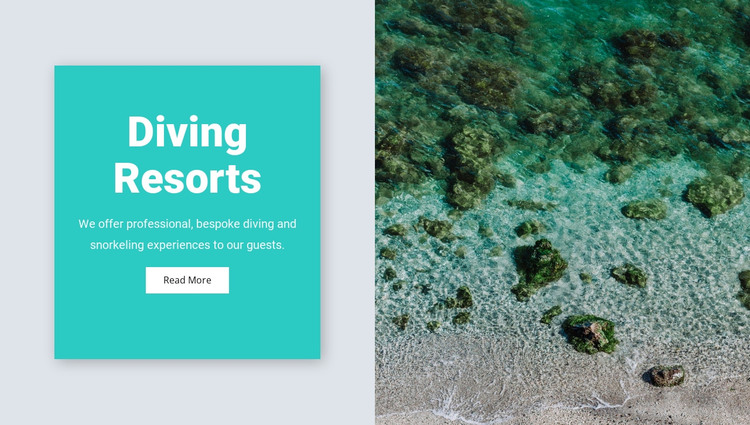
The left side of this block reads as durable page content rather than a stream of time-sensitive entries. The “Diving Resorts” heading establishes the subject, the supporting copy describes professional, bespoke diving and snorkeling experiences, and the “Read More” button points toward additional information. This makes the section suitable for a WordPress-oriented project where a resort or travel page needs a consistent introductory content area surrounded by other managed material.
The adjacent beach and shallow-water shoreline photograph gives the text a concrete coastal setting. Its position in the right half keeps the image connected to the message without interrupting the reading order of the turquoise panel. Centered white typography and generous padding preserve a clear hierarchy, while the compact button provides one defined continuation point rather than several competing actions.
Within a WordPress-managed page, the block can remain a reusable visual section while the surrounding project handles broader page content, navigation, and any additional travel information. The section does not need to carry every resort detail: its value lies in presenting one stable offering statement with a supporting image and a single onward action. This interpretation keeps the block focused on publishable page content while preserving its original split composition and static behavior.
Customize with Nicepage
Open this ready-made template in the WordPress Website Builder and customize it visually in the Nicepage editor. Replace demo content, edit page sections, and adapt the design to your project without rebuilding the template from scratch.
Edit Template Offline
2. Create a new page or select existing
3. Click Add new block, search for id 95856 and click enter
Edit Template Online
Create Awesome Websites


Free Nicepage Builder
Keywords
Manage and Edit This Theme in WordPress
Customize and Install the WordPress Theme
Start with this ready-made theme instead of building the WordPress design from scratch. Customize its layout, content, typography, images, sections, and other design elements visually in Nicepage editor, then export and install the WordPress Theme, Plugin, and Pages on your WordPress site. The Nicepage WordPress Plugin lets you continue working with the site after installation.
Edit the Theme Directly in WordPress
After installation, you can edit the WordPress Theme directly in WordPress with the Nicepage WordPress Plugin. Use Site Style to customize site Colors, Fonts, Header, Footer, Blog, and Post Page Templates while working within your WordPress website.
Edit WordPress Pages Visually
Use the Nicepage WordPress Plugin to edit page content directly from the WordPress admin area. Open a WordPress Page with Nicepage and visually change its text, images, sections, and other page elements while continuing to manage the Page through WordPress.
WordPress Content and Theme Integration
Use the customized theme with WordPress Pages, Posts, Blog and Post Templates, menus, widgets, and other CMS-managed content. Shared theme elements such as Colors, Fonts, Header, Footer, Blog, and Post Page Templates can be managed as part of the overall site design, while WordPress provides the CMS environment for managing site content.
This workflow combines a ready-made WordPress Theme with visual customization, direct theme editing in WordPress, and continued content management through the Nicepage WordPress Plugin.