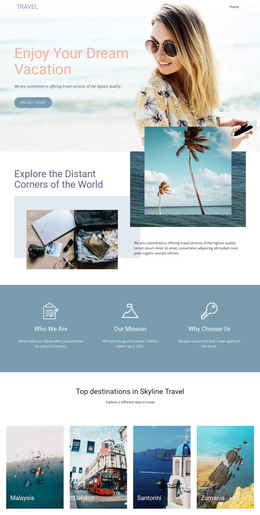
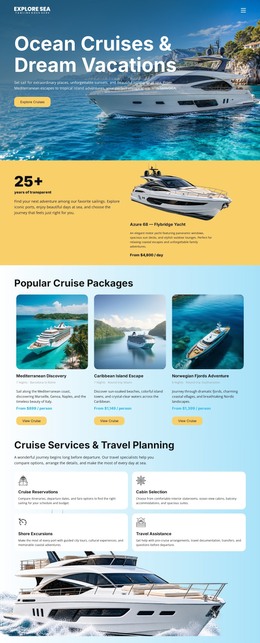
Tropical travel WordPress Theme


Pass Comparison as Stable WordPress Page Content
The three repeated rows make this section suitable for a stable services or pricing area within a WordPress-managed page. Day Pass, Month Pass, and Team Pass each receive the same internal treatment: a left cell identifies the option and its displayed price, while the right area carries the supporting description. This arrangement keeps the content relationship clear when the section is read as permanent page information rather than as a sequence of separate promotional cards.
The palm-leaf background gives the section a strong visual context, and the yellow label cell in the middle row provides a distinct emphasis within the otherwise consistent table-like rhythm. That difference can help a content editor or site designer highlight one pass visually while retaining the same underlying content structure for all three options. The static interaction also keeps every choice visible without requiring visitors to open tabs or move through a carousel.
In a WordPress-oriented project, the block can occupy a services, pricing, or pass-information region while the wider site manages other pages and editorial content. A booking form, payment step, or direct response can be placed elsewhere if required; none is needed to understand this section’s comparison role. The block therefore contributes organized visual content to the page while remaining separate from theme-wide architecture and CMS functions.
Customize with Nicepage
Open this ready-made template in the WordPress Website Builder and customize it visually in the Nicepage editor. Replace demo content, edit page sections, and adapt the design to your project without rebuilding the template from scratch.
Edit Template Offline
2. Create a new page or select existing
3. Click Add new block, search for id 92295 and click enter
Edit Template Online
Create Awesome Websites


Free Nicepage Builder
Keywords
Use This Block in a WordPress-Managed Website
Keep the Block as Page Content
Use the block as one content/layout section inside a WordPress-oriented site rather than treating the Block ID as a complete WordPress Theme. Its verified text, images, repeated items, forms, galleries, or other elements can remain part of permanent page content while WordPress manages the wider site.
Work With Nicepage and WordPress
A Nicepage WordPress project can be installed using the WordPress Theme, Plugin, and Pages workflow. After installation, the same visual section can participate in WordPress-managed pages as part of the broader theme/site structure.
Continue Editing in WordPress
Nicepage supports editing the WordPress Theme directly in WordPress. Use WordPress Pages, Posts, Blog structures, and other CMS concepts only when they are relevant to the surrounding project; their existence must not be inferred from the analyzed block alone.
This workflow keeps the block's verified section function separate from the WordPress theme architecture while allowing it to participate in a CMS-managed website.