Running tips for beginners WordPress Theme


A Stable Running Introduction for WordPress Page Content
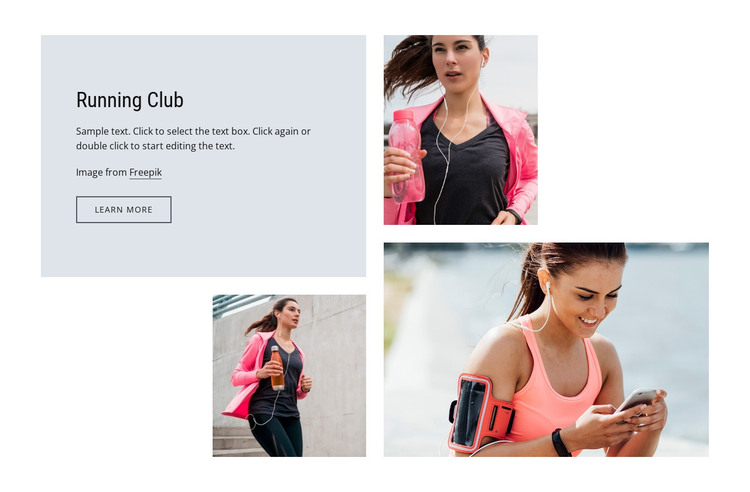
The “Running Club” heading and supporting paragraph form stable subject-focused content that can sit within a WordPress-managed page. The text panel occupies the upper-left, giving the section a dependable reading anchor before the eye moves through the photographic arrangement. Its attribution line provides supporting image information, while the outlined “learn more” button offers a destination for related content without making this single section responsible for the entire page journey.
The three running photographs are arranged as distinct visual items rather than a uniform row. A portrait image appears at upper right, a second portrait occupies the lower-left position, and a wide photograph fills the lower-right area. Together they create an asymmetrical mosaic that can complement written page content while preserving a strong separation between the text card and the image field. The light gray card, white background, black typographic hierarchy, and generous spacing reinforce that separation.
Within a WordPress-oriented project, the block can work as permanent running or sports content on a page, with its heading, paragraph, images, and action maintained as one visual section. Other CMS-managed content can surround it without changing the block’s internal structure. The sample copy should be replaced with the project’s own message, and the learn-more link can point to a relevant destination when one is defined. This makes the section suitable for a stable page area rather than time-sensitive content by default.
Customize with Nicepage
Open this ready-made template in the WordPress Website Builder and customize it visually in the Nicepage editor. Replace demo content, edit page sections, and adapt the design to your project without rebuilding the template from scratch.
Edit Template Offline
2. Create a new page or select existing
3. Click Add new block, search for id 846162 and click enter
Edit Template Online
Create Awesome Websites


Free Nicepage Builder
Keywords
Manage and Edit This Theme in WordPress
Customize and Install the WordPress Theme
Start with this ready-made theme instead of building the WordPress design from scratch. Customize its layout, content, typography, images, sections, and other design elements visually in Nicepage editor, then export and install the WordPress Theme, Plugin, and Pages on your WordPress site. The Nicepage WordPress Plugin lets you continue working with the site after installation.
Edit the Theme Directly in WordPress
After installation, you can edit the WordPress Theme directly in WordPress with the Nicepage WordPress Plugin. Use Site Style to customize site Colors, Fonts, Header, Footer, Blog, and Post Page Templates while working within your WordPress website.
Edit WordPress Pages Visually
Use the Nicepage WordPress Plugin to edit page content directly from the WordPress admin area. Open a WordPress Page with Nicepage and visually change its text, images, sections, and other page elements while continuing to manage the Page through WordPress.
WordPress Content and Theme Integration
Use the customized theme with WordPress Pages, Posts, Blog and Post Templates, menus, widgets, and other CMS-managed content. Shared theme elements such as Colors, Fonts, Header, Footer, Blog, and Post Page Templates can be managed as part of the overall site design, while WordPress provides the CMS environment for managing site content.
This workflow combines a ready-made WordPress Theme with visual customization, direct theme editing in WordPress, and continued content management through the Nicepage WordPress Plugin.