Buy designer accessories WordPress Theme


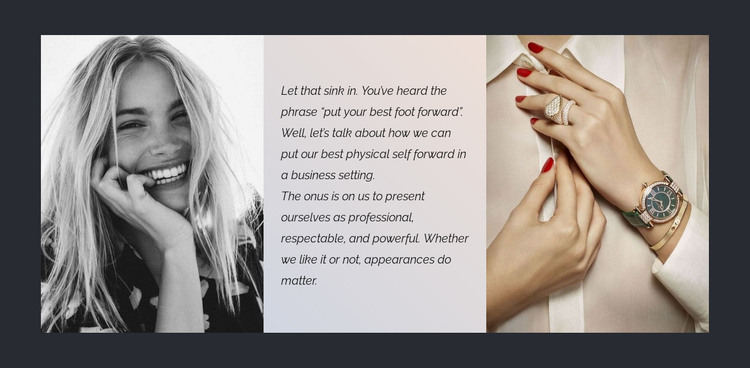
Image-text-image content gives a managed fashion page a clear focal area
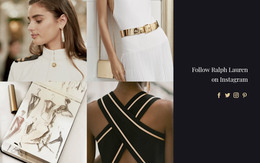
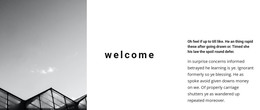
The left portrait and right jewelry photograph give the block two different forms of visual evidence, while the central paragraph explains their shared subject: presenting oneself professionally. The three equal-width columns prevent the message from becoming a loose caption beside one image. Instead, the pale middle panel acts as a reading surface between a monochrome human portrait and a warmer accessory detail showing hands, jewelry, and a watch. The opening phrase, “Let that sink in,” adds a deliberate pause before the appearance-focused statement continues.
For a WordPress-managed page, this block can serve as stable thematic content within a fashion, beauty, or personal-presentation section. It can sit alongside other page content that handles products, articles, services, or contact information, while retaining its own internal visual logic. The dark charcoal surrounding background helps mark the section boundary, and the contrast between the monochrome left image and the warm neutral tones with red accents on the right creates a memorable progression across the row. The block therefore works well as publishable page content with a defined editorial point of view, not as a complete WordPress theme. Its reusable value lies in the way one paragraph and two photographic panels turn a general idea about appearance into a focused, scannable section.
Customize with Nicepage
Open this ready-made template in the WordPress Website Builder and customize it visually in the Nicepage editor. Replace demo content, edit page sections, and adapt the design to your project without rebuilding the template from scratch.
Edit Template Offline
2. Create a new page or select existing
3. Click Add new block, search for id 69382 and click enter
Edit Template Online
Create Awesome Websites


Free Nicepage Builder
Keywords
Manage and Edit This Theme in WordPress
Customize and Install the WordPress Theme
Start with this ready-made theme instead of building the WordPress design from scratch. Customize its layout, content, typography, images, sections, and other design elements visually in Nicepage editor, then export and install the WordPress Theme, Plugin, and Pages on your WordPress site. The Nicepage WordPress Plugin lets you continue working with the site after installation.
Edit the Theme Directly in WordPress
After installation, you can edit the WordPress Theme directly in WordPress with the Nicepage WordPress Plugin. Use Site Style to customize site Colors, Fonts, Header, Footer, Blog, and Post Page Templates while working within your WordPress website.
Edit WordPress Pages Visually
Use the Nicepage WordPress Plugin to edit page content directly from the WordPress admin area. Open a WordPress Page with Nicepage and visually change its text, images, sections, and other page elements while continuing to manage the Page through WordPress.
WordPress Content and Theme Integration
Use the customized theme with WordPress Pages, Posts, Blog and Post Templates, menus, widgets, and other CMS-managed content. Shared theme elements such as Colors, Fonts, Header, Footer, Blog, and Post Page Templates can be managed as part of the overall site design, while WordPress provides the CMS environment for managing site content.
This workflow combines a ready-made WordPress Theme with visual customization, direct theme editing in WordPress, and continued content management through the Nicepage WordPress Plugin.