Up to 70% sale WordPress Theme


Stable Sale Content With a Clear Page-Section Role
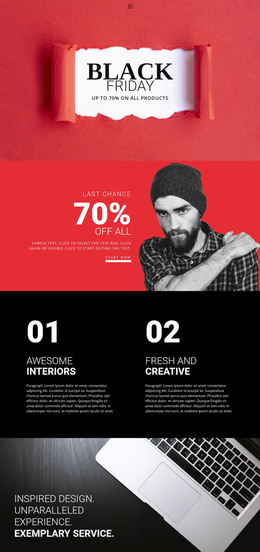
The “Black Friday” heading and supporting discount statement read as stable promotional page content rather than as a stream of dated editorial entries. Their meaning is reinforced by the red circular shopping-cart badge and wooden sale lettering, which establish the retail context visually. The dark textured background and light paint-stroke area then organize these pieces into one recognizable horizontal section, with imagery on the left and the main message on the right.
In a WordPress-managed project, this block can participate as a reusable promotional area within a page while other CMS-managed content supplies product information, campaign detail, or additional retail sections around it. The displayed discount wording is sample content and can be replaced when the campaign changes; the underlying layout can remain the same. The section contains no confirmed posts, categories, widgets, or dynamic product list, so those concepts should remain part of the surrounding project rather than being assigned to the banner itself. Its WordPress-oriented value is the distinction between durable visual presentation and editable campaign copy: the site can maintain the section’s image-text relationship while updating the seasonal message through the broader page-content workflow.
Customize with Nicepage
Open this ready-made template in the WordPress Website Builder and customize it visually in the Nicepage editor. Replace demo content, edit page sections, and adapt the design to your project without rebuilding the template from scratch.
Edit Template Offline
2. Create a new page or select existing
3. Click Add new block, search for id 52744 and click enter
Edit Template Online
Create Awesome Websites


Free Nicepage Builder
Keywords
Manage and Edit This Theme in WordPress
Customize and Install the WordPress Theme
Start with this ready-made theme instead of building the WordPress design from scratch. Customize its layout, content, typography, images, sections, and other design elements visually in Nicepage editor, then export and install the WordPress Theme, Plugin, and Pages on your WordPress site. The Nicepage WordPress Plugin lets you continue working with the site after installation.
Edit the Theme Directly in WordPress
After installation, you can edit the WordPress Theme directly in WordPress with the Nicepage WordPress Plugin. Use Site Style to customize site Colors, Fonts, Header, Footer, Blog, and Post Page Templates while working within your WordPress website.
Edit WordPress Pages Visually
Use the Nicepage WordPress Plugin to edit page content directly from the WordPress admin area. Open a WordPress Page with Nicepage and visually change its text, images, sections, and other page elements while continuing to manage the Page through WordPress.
WordPress Content and Theme Integration
Use the customized theme with WordPress Pages, Posts, Blog and Post Templates, menus, widgets, and other CMS-managed content. Shared theme elements such as Colors, Fonts, Header, Footer, Blog, and Post Page Templates can be managed as part of the overall site design, while WordPress provides the CMS environment for managing site content.
This workflow combines a ready-made WordPress Theme with visual customization, direct theme editing in WordPress, and continued content management through the Nicepage WordPress Plugin.