
Digital Design that Performs WordPress Theme


Edit Template Offline
2. Create new page and search for id 6542487
Edit Template Online
Create Awesome Websites


Free Nicepage Builder
Keywords
Personal pages and recurring portfolio content in one visual system
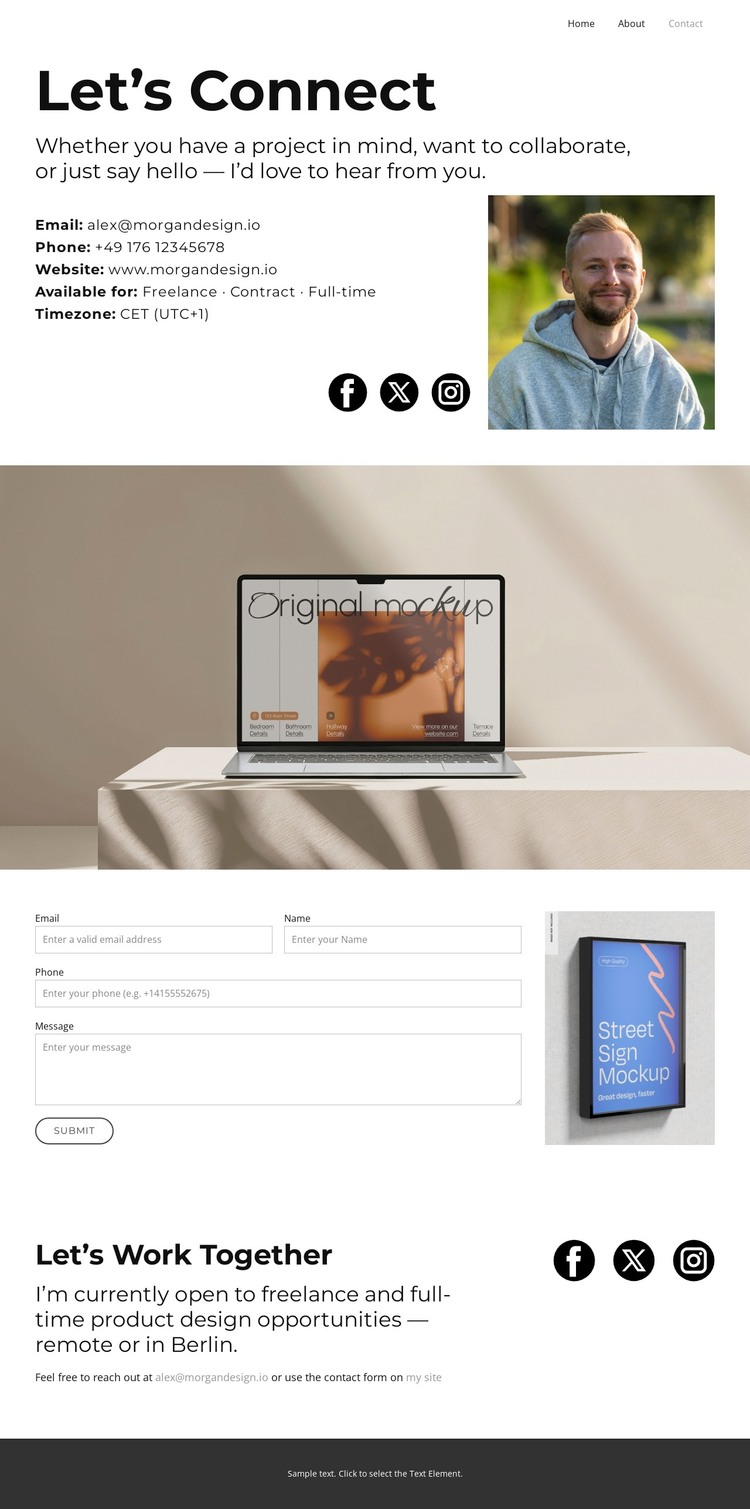
The page-oriented content is well suited to a WordPress-managed portfolio because it separates permanent personal information from direct communication. The “Let’s Connect” section can represent the designer’s profile context through its invitation text, portrait, contact overview, and social links. Home, About, and Contact navigation further clarifies the relationship between the portfolio’s main page areas without claiming that any unverified WordPress content types already exist.
The workspace photography gives the visual system a recognizable context for related project or editorial content. A full-width image separates the introduction from the form, while the narrow image beside the inquiry area demonstrates a second way to place visual material alongside practical page content. The final “Let’s Work Together” section contributes a distinct availability message, covering freelance, contract, and full-time opportunities and referring to remote or Berlin-based product design work. In a WordPress project, these content areas could support permanent Pages and other managed material while preserving the same personal presentation; the design itself does not prove that Posts, categories, or blog structures are already included. The strongest theme interpretation therefore comes from the relationship between profile content, portfolio imagery, social connections, availability information, and inquiry capture. Together they create a clear content environment for a designer whose website needs to support clients, collaborators, and employers without losing a consistent visual character.
Customize with Nicepage
Open this ready-made template in the WordPress Website Builder and customize it visually in the Nicepage editor. Replace demo content, edit page sections, and adapt the design to your project without rebuilding the template from scratch.
Manage and Edit This Theme in WordPress
Customize and Install the WordPress Theme
Start with this ready-made theme instead of building the WordPress design from scratch. Customize its layout, content, typography, images, sections, and other design elements visually in Nicepage editor, then export and install the WordPress Theme, Plugin, and Pages on your WordPress site. The Nicepage WordPress Plugin lets you continue working with the site after installation.
Edit the Theme Directly in WordPress
After installation, you can edit the WordPress Theme directly in WordPress with the Nicepage WordPress Plugin. Use Site Style to customize site Colors, Fonts, Header, Footer, Blog, and Post Page Templates while working within your WordPress website.
Edit WordPress Pages Visually
Use the Nicepage WordPress Plugin to edit page content directly from the WordPress admin area. Open a WordPress Page with Nicepage and visually change its text, images, sections, and other page elements while continuing to manage the Page through WordPress.
WordPress Content and Theme Integration
Use the customized theme with WordPress Pages, Posts, Blog and Post Templates, menus, widgets, and other CMS-managed content. Shared theme elements such as Colors, Fonts, Header, Footer, Blog, and Post Page Templates can be managed as part of the overall site design, while WordPress provides the CMS environment for managing site content.
This workflow combines a ready-made WordPress Theme with visual customization, direct theme editing in WordPress, and continued content management through the Nicepage WordPress Plugin.





















