Water Heater Fix WordPress Theme


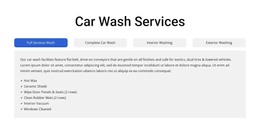
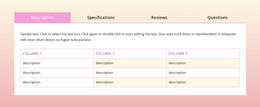
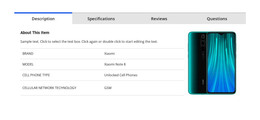
Tabbed Repair Information Works as Stable WordPress Page Content
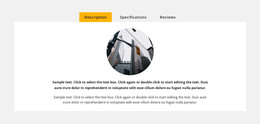
The tall plumbing photograph establishes the subject of the section, while the right column keeps its service information organized into three selectable stages: Assess, Estimate, and Repair. Switching the tabs reveals related panes for Fixing Leaky Pipes, Water Heater Fix, and Toilet Leak Repair. Each pane follows the same content relationship, combining a service heading, concise descriptive copy, and a booking call to action, so the section can present several repair categories without repeating the full layout.
For a WordPress-managed page, this structure is well suited to stable service content that visitors may need to consult repeatedly. The block can occupy one services area while the wider site handles other page content around it. Its two-column arrangement gives the section a recognizable place in the page design: the image supplies visual context, and the tabbed text region keeps related explanations compact rather than expanding into several separate service sections.
The visual treatment supports that page-content role. A white background and generous space separate the image from the information, dark headings preserve hierarchy, and warm yellow identifies the active tab and booking button. The section can therefore retain a consistent presentation as surrounding WordPress-managed content develops, while its own service categories and booking actions remain grouped in one reusable block.
Customize with Nicepage
Open this ready-made template in the WordPress Website Builder and customize it visually in the Nicepage editor. Replace demo content, edit page sections, and adapt the design to your project without rebuilding the template from scratch.
Edit Template Offline
2. Create a new page or select existing
3. Click Add new block, search for id 6475647 and click enter
Edit Template Online
Create Awesome Websites


Free Nicepage Builder
Keywords
Manage and Edit This Theme in WordPress
Customize and Install the WordPress Theme
Start with this ready-made theme instead of building the WordPress design from scratch. Customize its layout, content, typography, images, sections, and other design elements visually in Nicepage editor, then export and install the WordPress Theme, Plugin, and Pages on your WordPress site. The Nicepage WordPress Plugin lets you continue working with the site after installation.
Edit the Theme Directly in WordPress
After installation, you can edit the WordPress Theme directly in WordPress with the Nicepage WordPress Plugin. Use Site Style to customize site Colors, Fonts, Header, Footer, Blog, and Post Page Templates while working within your WordPress website.
Edit WordPress Pages Visually
Use the Nicepage WordPress Plugin to edit page content directly from the WordPress admin area. Open a WordPress Page with Nicepage and visually change its text, images, sections, and other page elements while continuing to manage the Page through WordPress.
WordPress Content and Theme Integration
Use the customized theme with WordPress Pages, Posts, Blog and Post Templates, menus, widgets, and other CMS-managed content. Shared theme elements such as Colors, Fonts, Header, Footer, Blog, and Post Page Templates can be managed as part of the overall site design, while WordPress provides the CMS environment for managing site content.
This workflow combines a ready-made WordPress Theme with visual customization, direct theme editing in WordPress, and continued content management through the Nicepage WordPress Plugin.