Tabs on gradient background WordPress Theme


Structured Product Information Fits a WordPress Page Content Region
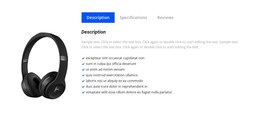
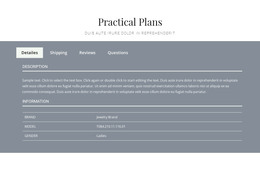
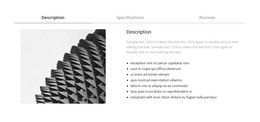
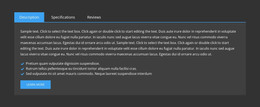
The heading labels, tab destinations, and table relationships make this block suitable for stable product information within a WordPress-managed page. Description, Specifications, Reviews, and Questions are distinct content groups, so the section can preserve a consistent product-details role while surrounding page content changes. The active Description panel demonstrates the primary information pattern with a supporting paragraph above a three-column table containing three body rows.
The Reviews panel should be understood as page content with a specific feedback purpose. Its product review prompt and review action button create a recognizable area for product response, while the Questions panel keeps related inquiries separate from the specification table. This division allows a broader WordPress project to place the block near product presentation or purchasing content without making the section responsible for the entire page journey.
The visual treatment supports reuse as well. The white panel, pink gradient, pink active tab, thin borders, and alternating table cells provide a defined presentation that can remain consistent when the block is placed in a stable product-information area. WordPress-oriented tools can manage the broader page and site context, but the block itself remains one visual/content section. Nicepage’s WordPress workflow can support page content and theme-related editing, while this particular block continues to be interpreted through its tabs, table, review prompt, and question panel rather than through CMS structures.
Customize with Nicepage
Open this ready-made template in the WordPress Website Builder and customize it visually in the Nicepage editor. Replace demo content, edit page sections, and adapt the design to your project without rebuilding the template from scratch.
Edit Template Offline
2. Create a new page or select existing
3. Click Add new block, search for id 92929 and click enter
Edit Template Online
Create Awesome Websites


Free Nicepage Builder
Keywords
Manage and Edit This Theme in WordPress
Customize and Install the WordPress Theme
Start with this ready-made theme instead of building the WordPress design from scratch. Customize its layout, content, typography, images, sections, and other design elements visually in Nicepage editor, then export and install the WordPress Theme, Plugin, and Pages on your WordPress site. The Nicepage WordPress Plugin lets you continue working with the site after installation.
Edit the Theme Directly in WordPress
After installation, you can edit the WordPress Theme directly in WordPress with the Nicepage WordPress Plugin. Use Site Style to customize site Colors, Fonts, Header, Footer, Blog, and Post Page Templates while working within your WordPress website.
Edit WordPress Pages Visually
Use the Nicepage WordPress Plugin to edit page content directly from the WordPress admin area. Open a WordPress Page with Nicepage and visually change its text, images, sections, and other page elements while continuing to manage the Page through WordPress.
WordPress Content and Theme Integration
Use the customized theme with WordPress Pages, Posts, Blog and Post Templates, menus, widgets, and other CMS-managed content. Shared theme elements such as Colors, Fonts, Header, Footer, Blog, and Post Page Templates can be managed as part of the overall site design, while WordPress provides the CMS environment for managing site content.
This workflow combines a ready-made WordPress Theme with visual customization, direct theme editing in WordPress, and continued content management through the Nicepage WordPress Plugin.