Hosting services WordPress Theme


Feature Labels Give WordPress Page Content a Clear Service Pattern
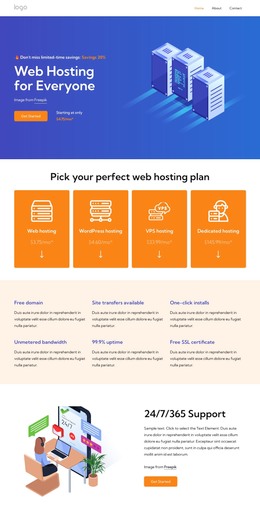
The section reads as stable hosting-related page content because its six labels identify separate service topics rather than time-sensitive entries. Free domain, Free SSL certificate, Site transfers available, and One-click installs describe distinct areas of the offering, while Unmetered bandwidth and 99.9% uptime extend the same information model. Each topic has a dedicated title and supporting paragraph, allowing the content to be edited as separate units in a WordPress-managed page while preserving the overall section pattern.
The three-column, two-row grid keeps those units compact and evenly distributed. Left alignment gives every item the same reading direction, and the repeated blue-purple headings create a consistent visual cue across the six entries. A light warm background separates the section from adjacent page content without relying on an interactive component. The generous spacing also leaves room for longer approved descriptions if the placeholder text is replaced with real editorial copy.
In a WordPress-oriented project, the block can function as a reusable hosting features region inside a stable services page or another managed content area. Other CMS-managed content can surround it with plan details, comparisons, or inquiry information, while this section retains its focused list of capabilities. It contributes organized page content to a wider WordPress site rather than acting as a standalone WordPress Theme.
Customize with Nicepage
Open this ready-made template in the WordPress Website Builder and customize it visually in the Nicepage editor. Replace demo content, edit page sections, and adapt the design to your project without rebuilding the template from scratch.
Edit Template Offline
2. Create a new page or select existing
3. Click Add new block, search for id 6375128 and click enter
Edit Template Online
Create Awesome Websites


Free Nicepage Builder
Keywords
Manage and Edit This Theme in WordPress
Customize and Install the WordPress Theme
Start with this ready-made theme instead of building the WordPress design from scratch. Customize its layout, content, typography, images, sections, and other design elements visually in Nicepage editor, then export and install the WordPress Theme, Plugin, and Pages on your WordPress site. The Nicepage WordPress Plugin lets you continue working with the site after installation.
Edit the Theme Directly in WordPress
After installation, you can edit the WordPress Theme directly in WordPress with the Nicepage WordPress Plugin. Use Site Style to customize site Colors, Fonts, Header, Footer, Blog, and Post Page Templates while working within your WordPress website.
Edit WordPress Pages Visually
Use the Nicepage WordPress Plugin to edit page content directly from the WordPress admin area. Open a WordPress Page with Nicepage and visually change its text, images, sections, and other page elements while continuing to manage the Page through WordPress.
WordPress Content and Theme Integration
Use the customized theme with WordPress Pages, Posts, Blog and Post Templates, menus, widgets, and other CMS-managed content. Shared theme elements such as Colors, Fonts, Header, Footer, Blog, and Post Page Templates can be managed as part of the overall site design, while WordPress provides the CMS environment for managing site content.
This workflow combines a ready-made WordPress Theme with visual customization, direct theme editing in WordPress, and continued content management through the Nicepage WordPress Plugin.