Online photography masterclass WordPress Theme


People-Focused Photography Content for a WordPress Page
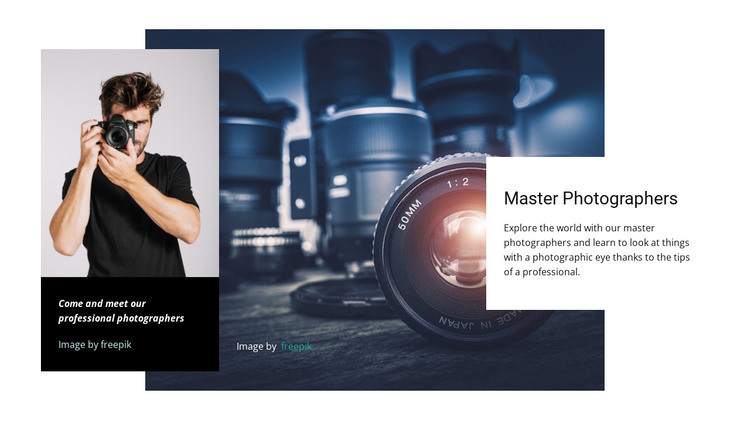
The heading “Master Photographers” and the paragraph about learning through professional tips read as durable page content rather than a time-sensitive post. In a WordPress-managed project, the section could support an about or educational area where visitors need to understand the expertise behind a photography service or masterclass. The portrait panel strengthens that page role by presenting a person alongside the caption “Come and meet our professional photographers,” while the large camera image maintains the subject focus.
The content is organized into distinct visual responsibilities. The dark blue camera backdrop creates atmosphere, the black left panel frames the human introduction, and the white right-hand card keeps the explanatory text legible. This separation allows the section to remain a coherent content region even when other WordPress-managed page content is placed before or after it. The block can provide context for related portfolio, service, or contact sections without becoming a complete theme or site structure.
The two freepik attribution links remain associated with the block’s photography imagery. Their presence reinforces that the visual assets and the editorial message work together as one section. The asymmetrical overlap gives stable page content a stronger visual entry point than a plain text column, making the block suitable for a broader WordPress page where people, photography, and professional guidance need to be introduced together.
Customize with Nicepage
Open this ready-made template in the WordPress Website Builder and customize it visually in the Nicepage editor. Replace demo content, edit page sections, and adapt the design to your project without rebuilding the template from scratch.
Edit Template Offline
2. Create a new page or select existing
3. Click Add new block, search for id 63271 and click enter
Edit Template Online
Create Awesome Websites


Free Nicepage Builder
Keywords
Manage and Edit This Theme in WordPress
Customize and Install the WordPress Theme
Start with this ready-made theme instead of building the WordPress design from scratch. Customize its layout, content, typography, images, sections, and other design elements visually in Nicepage editor, then export and install the WordPress Theme, Plugin, and Pages on your WordPress site. The Nicepage WordPress Plugin lets you continue working with the site after installation.
Edit the Theme Directly in WordPress
After installation, you can edit the WordPress Theme directly in WordPress with the Nicepage WordPress Plugin. Use Site Style to customize site Colors, Fonts, Header, Footer, Blog, and Post Page Templates while working within your WordPress website.
Edit WordPress Pages Visually
Use the Nicepage WordPress Plugin to edit page content directly from the WordPress admin area. Open a WordPress Page with Nicepage and visually change its text, images, sections, and other page elements while continuing to manage the Page through WordPress.
WordPress Content and Theme Integration
Use the customized theme with WordPress Pages, Posts, Blog and Post Templates, menus, widgets, and other CMS-managed content. Shared theme elements such as Colors, Fonts, Header, Footer, Blog, and Post Page Templates can be managed as part of the overall site design, while WordPress provides the CMS environment for managing site content.
This workflow combines a ready-made WordPress Theme with visual customization, direct theme editing in WordPress, and continued content management through the Nicepage WordPress Plugin.