Counter Symbol WordPress Theme



Three Value-Label Panels Form Stable WordPress Page Content
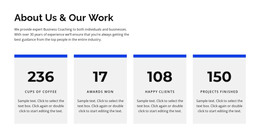
The three bordered panels read as a stable page-content unit because each uses the same relationship between a prominent numeric value and a smaller descriptive label. The displayed examples include 24 with “winning awards,” 14 with “team member,” and 182 with “cups of coffee”; these values function as the block’s sample content, while the repeated structure can be adapted for the project’s own figures. The bright blue background connects the panels, and white typography keeps the hierarchy clear.
The staggered arrangement gives this content area a visual identity beyond a conventional row. The outer panels align higher and the center panel sits lower, creating a stepped rhythm that can help a statistics section stand apart from adjacent page content. Thin white borders preserve the separation of each metric, so the group remains scannable even though all three panels share one background. Since the interaction is static, the information is presented directly without requiring visitors to open, rotate, or advance anything.
In a WordPress-managed project, this block can serve as permanent content on a services, about, portfolio, or other information page, depending on the surrounding material. Its role is the reusable visual presentation of three related metrics, not the broader theme or page architecture. WordPress can provide the surrounding content environment while the section retains its defined value-label pattern, blue contrast, and lowered center panel.
Customize with Nicepage
Open this ready-made template in the WordPress Website Builder and customize it visually in the Nicepage editor. Replace demo content, edit page sections, and adapt the design to your project without rebuilding the template from scratch.
Edit Template Offline
2. Create a new page or select existing
3. Click Add new block, search for id 41894 and click enter
Edit Template Online
Create Awesome Websites


Free Nicepage Builder
Keywords
Manage and Edit This Theme in WordPress
Customize and Install the WordPress Theme
Start with this ready-made theme instead of building the WordPress design from scratch. Customize its layout, content, typography, images, sections, and other design elements visually in Nicepage editor, then export and install the WordPress Theme, Plugin, and Pages on your WordPress site. The Nicepage WordPress Plugin lets you continue working with the site after installation.
Edit the Theme Directly in WordPress
After installation, you can edit the WordPress Theme directly in WordPress with the Nicepage WordPress Plugin. Use Site Style to customize site Colors, Fonts, Header, Footer, Blog, and Post Page Templates while working within your WordPress website.
Edit WordPress Pages Visually
Use the Nicepage WordPress Plugin to edit page content directly from the WordPress admin area. Open a WordPress Page with Nicepage and visually change its text, images, sections, and other page elements while continuing to manage the Page through WordPress.
WordPress Content and Theme Integration
Use the customized theme with WordPress Pages, Posts, Blog and Post Templates, menus, widgets, and other CMS-managed content. Shared theme elements such as Colors, Fonts, Header, Footer, Blog, and Post Page Templates can be managed as part of the overall site design, while WordPress provides the CMS environment for managing site content.
This workflow combines a ready-made WordPress Theme with visual customization, direct theme editing in WordPress, and continued content management through the Nicepage WordPress Plugin.