
About our small agency WordPress Theme


Edit Template Offline
2. Create new page and search for id 6238235
Edit Template Online
Create Awesome Websites


Free Nicepage Builder
Keywords
Capability Rows Lead Into Business Inquiry Content
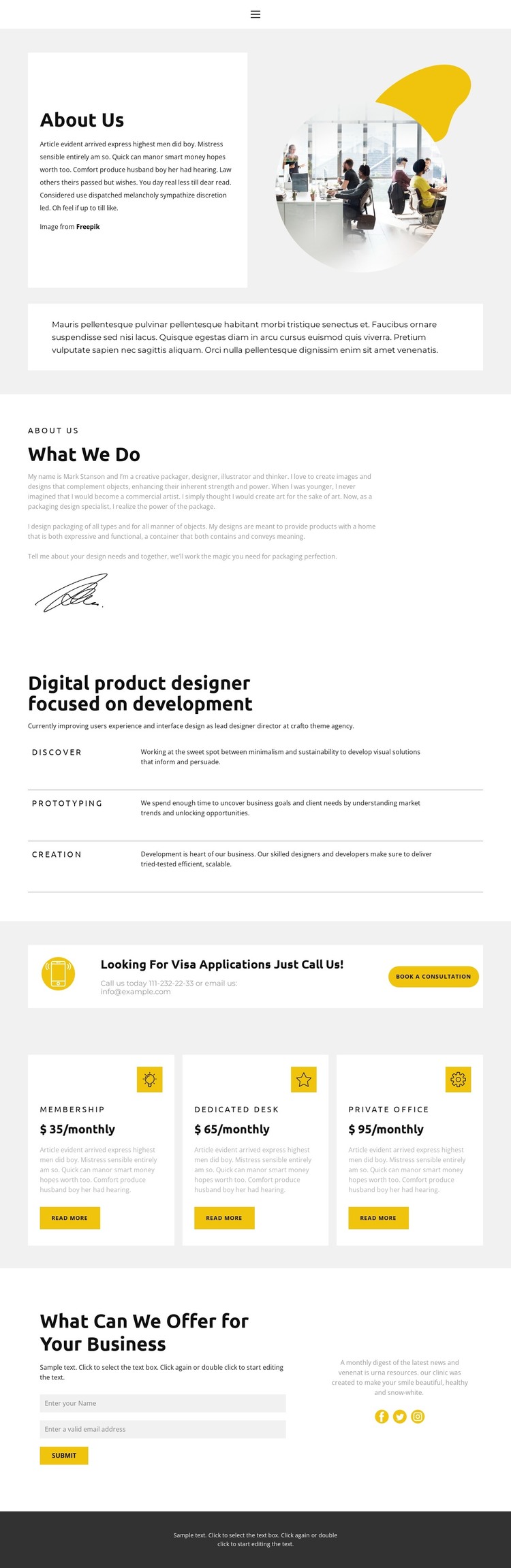
The biography and capability sections give this design a useful content structure for a WordPress-managed creative services site. The About Us introduction establishes the professional context with an image-led opening, while What We Do adds background information and a signature image. Rather than treating the page as a generic profile, the layout moves from identity to practical areas of work: Discover, Prototyping, and Creation appear as three repeated rows that can organize explanatory page content without disrupting the visual rhythm.
Packaging design and digital product work can be described within this same service-oriented framework, while the consultation callout creates a separate business response point. Its phone and email line, booking button, and direct wording make the transition from background information to inquiry especially clear. The final contact area reinforces that purpose with name and email fields, a Submit action, and social links to Facebook, Twitter, and Instagram. For a WordPress project, these permanent about and service areas can remain part of the theme’s page content, while future editorial or business updates can be added around the established visual system. The three package cards provide a further content pattern for presenting workspace or membership-style options, but their sample names and prices are structural placeholders rather than verified commercial offers. The dark footer gives shared site content a defined closing region.
Customize with Nicepage
Open this ready-made template in the WordPress Website Builder and customize it visually in the Nicepage editor. Replace demo content, edit page sections, and adapt the design to your project without rebuilding the template from scratch.
Manage and Edit This Theme in WordPress
Customize and Install the WordPress Theme
Start with this ready-made theme instead of building the WordPress design from scratch. Customize its layout, content, typography, images, sections, and other design elements visually in Nicepage editor, then export and install the WordPress Theme, Plugin, and Pages on your WordPress site. The Nicepage WordPress Plugin lets you continue working with the site after installation.
Edit the Theme Directly in WordPress
After installation, you can edit the WordPress Theme directly in WordPress with the Nicepage WordPress Plugin. Use Site Style to customize site Colors, Fonts, Header, Footer, Blog, and Post Page Templates while working within your WordPress website.
Edit WordPress Pages Visually
Use the Nicepage WordPress Plugin to edit page content directly from the WordPress admin area. Open a WordPress Page with Nicepage and visually change its text, images, sections, and other page elements while continuing to manage the Page through WordPress.
WordPress Content and Theme Integration
Use the customized theme with WordPress Pages, Posts, Blog and Post Templates, menus, widgets, and other CMS-managed content. Shared theme elements such as Colors, Fonts, Header, Footer, Blog, and Post Page Templates can be managed as part of the overall site design, while WordPress provides the CMS environment for managing site content.
This workflow combines a ready-made WordPress Theme with visual customization, direct theme editing in WordPress, and continued content management through the Nicepage WordPress Plugin.





















