Custom consulting quote WordPress Theme


Stable Service-Understanding Content With a Personal Closing Detail
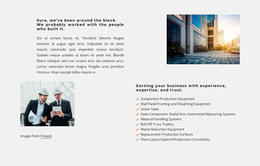
The heading and paragraphs read as durable page content: they explain what the customer needs rather than presenting a time-sensitive update or a changing list of posts. The five checklist items then organize that explanation into stable information about cleaning quality, scheduling, staff trust, product safety, and communication. This makes the section suitable for a WordPress-managed page where a services or proposal area needs to retain a consistent visual and editorial role.
The block’s content relationship is deliberately simple. The left-aligned heading establishes the subject, the paragraphs create context, and the blue-marked priorities provide a quick reference before the closing statement. A signature-style image adds a human finish without changing the section into a profile or testimonial component. The personalized greeting placeholder can be replaced or connected to appropriate content handling, while the rest of the section remains a readable, self-contained page area.
In a WordPress-oriented project, this block can sit inside permanent page content while the wider site handles navigation, additional pages, and any separately managed material. Nicepage supports working with WordPress-managed content, but the block itself remains one section rather than a complete theme. Its value is the consistent presentation of service expectations and the personal closing detail that can support a broader commercial page.
Customize with Nicepage
Open this ready-made template in the WordPress Website Builder and customize it visually in the Nicepage editor. Replace demo content, edit page sections, and adapt the design to your project without rebuilding the template from scratch.
Edit Template Offline
2. Create a new page or select existing
3. Click Add new block, search for id 6501069 and click enter
Edit Template Online
Create Awesome Websites


Free Nicepage Builder
Keywords
Manage and Edit This Theme in WordPress
Customize and Install the WordPress Theme
Start with this ready-made theme instead of building the WordPress design from scratch. Customize its layout, content, typography, images, sections, and other design elements visually in Nicepage editor, then export and install the WordPress Theme, Plugin, and Pages on your WordPress site. The Nicepage WordPress Plugin lets you continue working with the site after installation.
Edit the Theme Directly in WordPress
After installation, you can edit the WordPress Theme directly in WordPress with the Nicepage WordPress Plugin. Use Site Style to customize site Colors, Fonts, Header, Footer, Blog, and Post Page Templates while working within your WordPress website.
Edit WordPress Pages Visually
Use the Nicepage WordPress Plugin to edit page content directly from the WordPress admin area. Open a WordPress Page with Nicepage and visually change its text, images, sections, and other page elements while continuing to manage the Page through WordPress.
WordPress Content and Theme Integration
Use the customized theme with WordPress Pages, Posts, Blog and Post Templates, menus, widgets, and other CMS-managed content. Shared theme elements such as Colors, Fonts, Header, Footer, Blog, and Post Page Templates can be managed as part of the overall site design, while WordPress provides the CMS environment for managing site content.
This workflow combines a ready-made WordPress Theme with visual customization, direct theme editing in WordPress, and continued content management through the Nicepage WordPress Plugin.