Design studio addresses WordPress Theme


Repeated Location Content Fits a WordPress Page Section
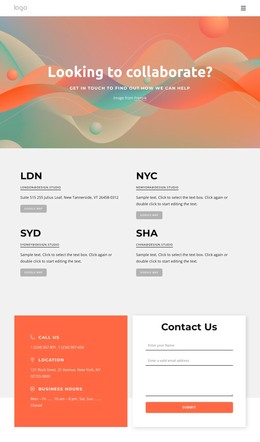
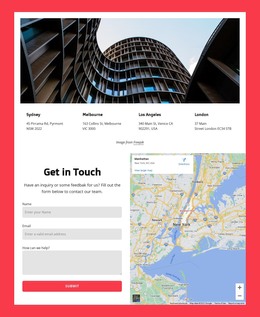
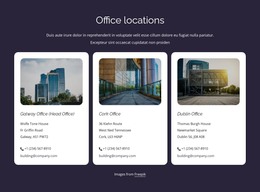
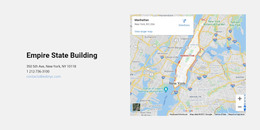
The location labels and repeated contact details make this block suitable for stable page content in a WordPress-managed site. Four cards present the same information pattern: a destination label, an email link, descriptive address or supporting text, and a Google Map button. Because each card follows the same order, the section can communicate several locations without requiring visitors to learn a different layout for every entry.
The two-column grid gives the content a compact page presence, with two location cards displayed across each row and generous spacing separating the items. The light gray background acts as a visual container for the contact area, while black typography gives the short location labels enough weight to guide scanning. Muted gray rounded buttons distinguish the map actions from the text and email links, preserving a clear difference between reading contact details and opening location information.
In a WordPress Theme context, this is a reusable page-content section rather than a complete theme or website. It can sit on a locations or contact page while the broader WordPress project supplies its other content areas and site structure. The email and map links provide practical destinations within the block, and the repeated card pattern makes the section straightforward to adapt when the surrounding project requires different location names, descriptions, or contact links.
Customize with Nicepage
Open this ready-made template in the WordPress Website Builder and customize it visually in the Nicepage editor. Replace demo content, edit page sections, and adapt the design to your project without rebuilding the template from scratch.
Edit Template Offline
2. Create a new page or select existing
3. Click Add new block, search for id 6061746 and click enter
Edit Template Online
Create Awesome Websites


Free Nicepage Builder
Keywords
Manage and Edit This Theme in WordPress
Customize and Install the WordPress Theme
Start with this ready-made theme instead of building the WordPress design from scratch. Customize its layout, content, typography, images, sections, and other design elements visually in Nicepage editor, then export and install the WordPress Theme, Plugin, and Pages on your WordPress site. The Nicepage WordPress Plugin lets you continue working with the site after installation.
Edit the Theme Directly in WordPress
After installation, you can edit the WordPress Theme directly in WordPress with the Nicepage WordPress Plugin. Use Site Style to customize site Colors, Fonts, Header, Footer, Blog, and Post Page Templates while working within your WordPress website.
Edit WordPress Pages Visually
Use the Nicepage WordPress Plugin to edit page content directly from the WordPress admin area. Open a WordPress Page with Nicepage and visually change its text, images, sections, and other page elements while continuing to manage the Page through WordPress.
WordPress Content and Theme Integration
Use the customized theme with WordPress Pages, Posts, Blog and Post Templates, menus, widgets, and other CMS-managed content. Shared theme elements such as Colors, Fonts, Header, Footer, Blog, and Post Page Templates can be managed as part of the overall site design, while WordPress provides the CMS environment for managing site content.
This workflow combines a ready-made WordPress Theme with visual customization, direct theme editing in WordPress, and continued content management through the Nicepage WordPress Plugin.