Plane ride experiences WordPress Theme


A Stable Destination Section for WordPress Page Content
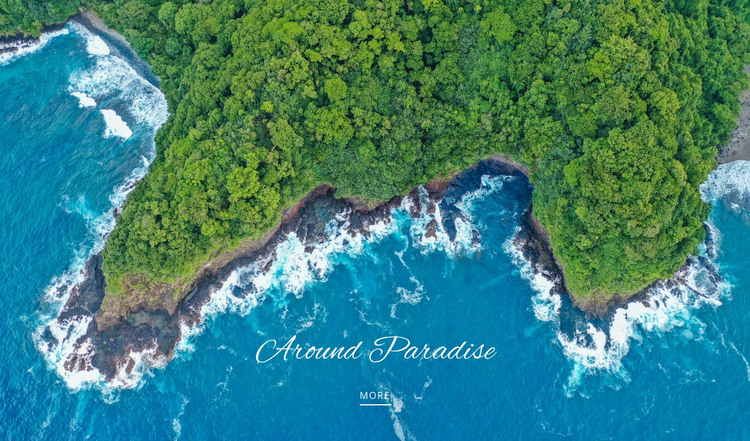
The “Around Paradise” heading and the single “more” link turn the coastal photograph into a concise destination feature rather than a generic image banner. The image supplies the setting through turquoise water, breaking surf, and dense vegetation; the heading names the experience; and the underlined link provides a simple path toward related information. This relationship gives the block a stable content role that can sit within a WordPress-managed page devoted to travel, hospitality, or destination presentation.
Because the section contains one centered text group over one full-width image, it can remain visually consistent as permanent page content while other parts of the project handle longer descriptions, booking details, itineraries, or additional destinations. The block does not need a large content model to be useful: its purpose is to establish atmosphere and create a focused invitation before the visitor reaches more detailed material. The lower placement of the text leaves the coastline visible as the primary visual evidence of the destination.
For a WordPress-oriented workflow, this makes the section appropriate as a reusable page area that can be positioned alongside other content without relying on blog-style presentation. Its static interaction keeps the message predictable, while the high contrast between white type and the colorful aerial image helps the heading and link remain legible within the wider page design.
Customize with Nicepage
Open this ready-made template in the WordPress Website Builder and customize it visually in the Nicepage editor. Replace demo content, edit page sections, and adapt the design to your project without rebuilding the template from scratch.
Edit Template Offline
2. Create a new page or select existing
3. Click Add new block, search for id 57514 and click enter
Edit Template Online
Create Awesome Websites


Free Nicepage Builder
Keywords
Manage and Edit This Theme in WordPress
Customize and Install the WordPress Theme
Start with this ready-made theme instead of building the WordPress design from scratch. Customize its layout, content, typography, images, sections, and other design elements visually in Nicepage editor, then export and install the WordPress Theme, Plugin, and Pages on your WordPress site. The Nicepage WordPress Plugin lets you continue working with the site after installation.
Edit the Theme Directly in WordPress
After installation, you can edit the WordPress Theme directly in WordPress with the Nicepage WordPress Plugin. Use Site Style to customize site Colors, Fonts, Header, Footer, Blog, and Post Page Templates while working within your WordPress website.
Edit WordPress Pages Visually
Use the Nicepage WordPress Plugin to edit page content directly from the WordPress admin area. Open a WordPress Page with Nicepage and visually change its text, images, sections, and other page elements while continuing to manage the Page through WordPress.
WordPress Content and Theme Integration
Use the customized theme with WordPress Pages, Posts, Blog and Post Templates, menus, widgets, and other CMS-managed content. Shared theme elements such as Colors, Fonts, Header, Footer, Blog, and Post Page Templates can be managed as part of the overall site design, while WordPress provides the CMS environment for managing site content.
This workflow combines a ready-made WordPress Theme with visual customization, direct theme editing in WordPress, and continued content management through the Nicepage WordPress Plugin.