From single projects to multi-year engagements WordPress Theme


Service Content and Workplace Imagery Create a Stable Page Region
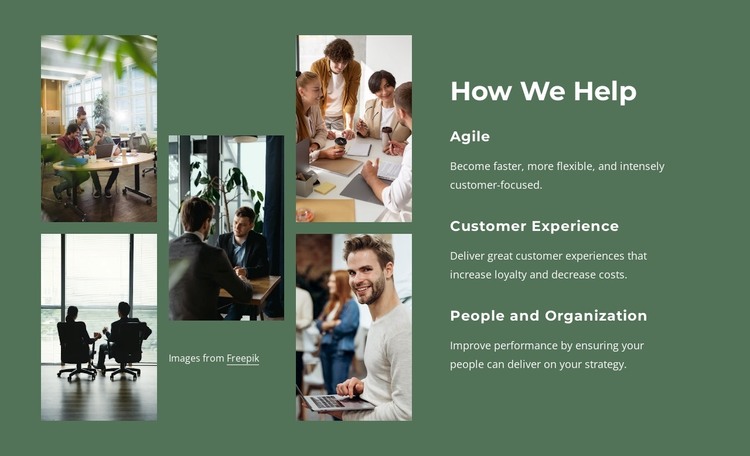
The three service entries make this block read as durable page content rather than a sequence of unrelated announcements. The “How We Help” heading establishes the section, then Agile, Customer Experience, and People and Organization divide the consulting message into distinct areas. Their descriptions give each label a different emphasis: speed and flexibility, customer loyalty and lower costs, and the connection between organizational performance and people delivering on strategy.
A five-photo collage occupies the opposite side of the section. Workplace scenes, meeting imagery, and professional portraits add context to the service text without introducing a second content list. The vertical arrangement across three columns creates an asymmetric balance, while the deep green background and white typography keep the reading column visually unified. Muted photographic treatment allows the large imagery to support, rather than overpower, the labels and descriptions.
In a WordPress-oriented project, this block can serve as a reusable services region on a stable page while other CMS-managed content develops around it. The section does not need to carry blog, navigation, or site-wide responsibilities; its role is to present a defined consulting offering in a consistent visual unit. The combination of categorized text and human-centered imagery makes it suitable for a page that needs visitors to understand several service areas before moving to more detailed information or a separate response point.
Customize with Nicepage
Open this ready-made template in the WordPress Website Builder and customize it visually in the Nicepage editor. Replace demo content, edit page sections, and adapt the design to your project without rebuilding the template from scratch.
Edit Template Offline
2. Create a new page or select existing
3. Click Add new block, search for id 5720322 and click enter
Edit Template Online
Create Awesome Websites


Free Nicepage Builder
Keywords
Manage and Edit This Theme in WordPress
Customize and Install the WordPress Theme
Start with this ready-made theme instead of building the WordPress design from scratch. Customize its layout, content, typography, images, sections, and other design elements visually in Nicepage editor, then export and install the WordPress Theme, Plugin, and Pages on your WordPress site. The Nicepage WordPress Plugin lets you continue working with the site after installation.
Edit the Theme Directly in WordPress
After installation, you can edit the WordPress Theme directly in WordPress with the Nicepage WordPress Plugin. Use Site Style to customize site Colors, Fonts, Header, Footer, Blog, and Post Page Templates while working within your WordPress website.
Edit WordPress Pages Visually
Use the Nicepage WordPress Plugin to edit page content directly from the WordPress admin area. Open a WordPress Page with Nicepage and visually change its text, images, sections, and other page elements while continuing to manage the Page through WordPress.
WordPress Content and Theme Integration
Use the customized theme with WordPress Pages, Posts, Blog and Post Templates, menus, widgets, and other CMS-managed content. Shared theme elements such as Colors, Fonts, Header, Footer, Blog, and Post Page Templates can be managed as part of the overall site design, while WordPress provides the CMS environment for managing site content.
This workflow combines a ready-made WordPress Theme with visual customization, direct theme editing in WordPress, and continued content management through the Nicepage WordPress Plugin.