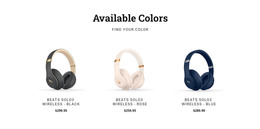
Beats wireless headphones WordPress Theme


Stable Package Information for a WordPress Product Page
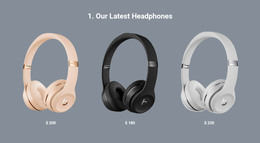
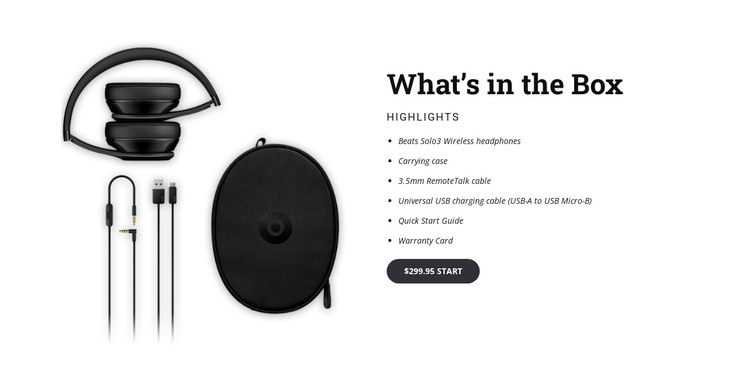
The section reads as durable product content rather than a time-sensitive article. Its heading identifies the subject as “What’s in the Box,” and the adjacent highlights list records six concrete package components: Beats Solo3 Wireless headphones, a carrying case, 3.5mm RemoteTalk cable, universal USB charging cable, Quick Start Guide, and Warranty Card. The product image supplies visual context, while the dark rounded price-action button gives the content a connection to a purchase-oriented page journey.
In a WordPress-managed project, this block can serve as one reusable section on a product or promotional page while the surrounding site manages broader page content and publishing needs. The two-column layout keeps the visual reference separate from the written inventory, making the section easy to place beside other areas for specifications, reviews, support, or related products. Its static presentation is also appropriate when all six included items should remain visible without depending on a carousel or expandable control. The block contributes a focused page-content region within the wider theme and site environment; it should not be treated as the complete WordPress Theme or as a substitute for the surrounding product-page structure.
Customize with Nicepage
Open this ready-made template in the WordPress Website Builder and customize it visually in the Nicepage editor. Replace demo content, edit page sections, and adapt the design to your project without rebuilding the template from scratch.
Edit Template Offline
2. Create a new page or select existing
3. Click Add new block, search for id 57189 and click enter
Edit Template Online
Create Awesome Websites


Free Nicepage Builder
Keywords
Manage and Edit This Theme in WordPress
Customize and Install the WordPress Theme
Start with this ready-made theme instead of building the WordPress design from scratch. Customize its layout, content, typography, images, sections, and other design elements visually in Nicepage editor, then export and install the WordPress Theme, Plugin, and Pages on your WordPress site. The Nicepage WordPress Plugin lets you continue working with the site after installation.
Edit the Theme Directly in WordPress
After installation, you can edit the WordPress Theme directly in WordPress with the Nicepage WordPress Plugin. Use Site Style to customize site Colors, Fonts, Header, Footer, Blog, and Post Page Templates while working within your WordPress website.
Edit WordPress Pages Visually
Use the Nicepage WordPress Plugin to edit page content directly from the WordPress admin area. Open a WordPress Page with Nicepage and visually change its text, images, sections, and other page elements while continuing to manage the Page through WordPress.
WordPress Content and Theme Integration
Use the customized theme with WordPress Pages, Posts, Blog and Post Templates, menus, widgets, and other CMS-managed content. Shared theme elements such as Colors, Fonts, Header, Footer, Blog, and Post Page Templates can be managed as part of the overall site design, while WordPress provides the CMS environment for managing site content.
This workflow combines a ready-made WordPress Theme with visual customization, direct theme editing in WordPress, and continued content management through the Nicepage WordPress Plugin.